
ArchVizr
Turn CAD, SketchUp, Revit and Rhino exports into photorealistic architectural renders in minutes.
Data verified Nov 13, 2026
Score
- Try it free
- Free trial
- Best for
- Independent Architecture Practices
About ArchVizr
ArchVizr is an AI rendering platform for architects, interior designers, and real estate developers that converts SketchUp, Revit, CAD, and Rhino exports (or even hand sketches) into photorealistic architectural renders in as little as 20 seconds. It is tuned specifically for architecture, reading a drawing as structure so it adds materials and lighting without moving windows or other elements. Unlike AI tools that optimize for one striking image, it aims to produce a consistent set of client-ready frames that share the same materials and light.
Screenshots
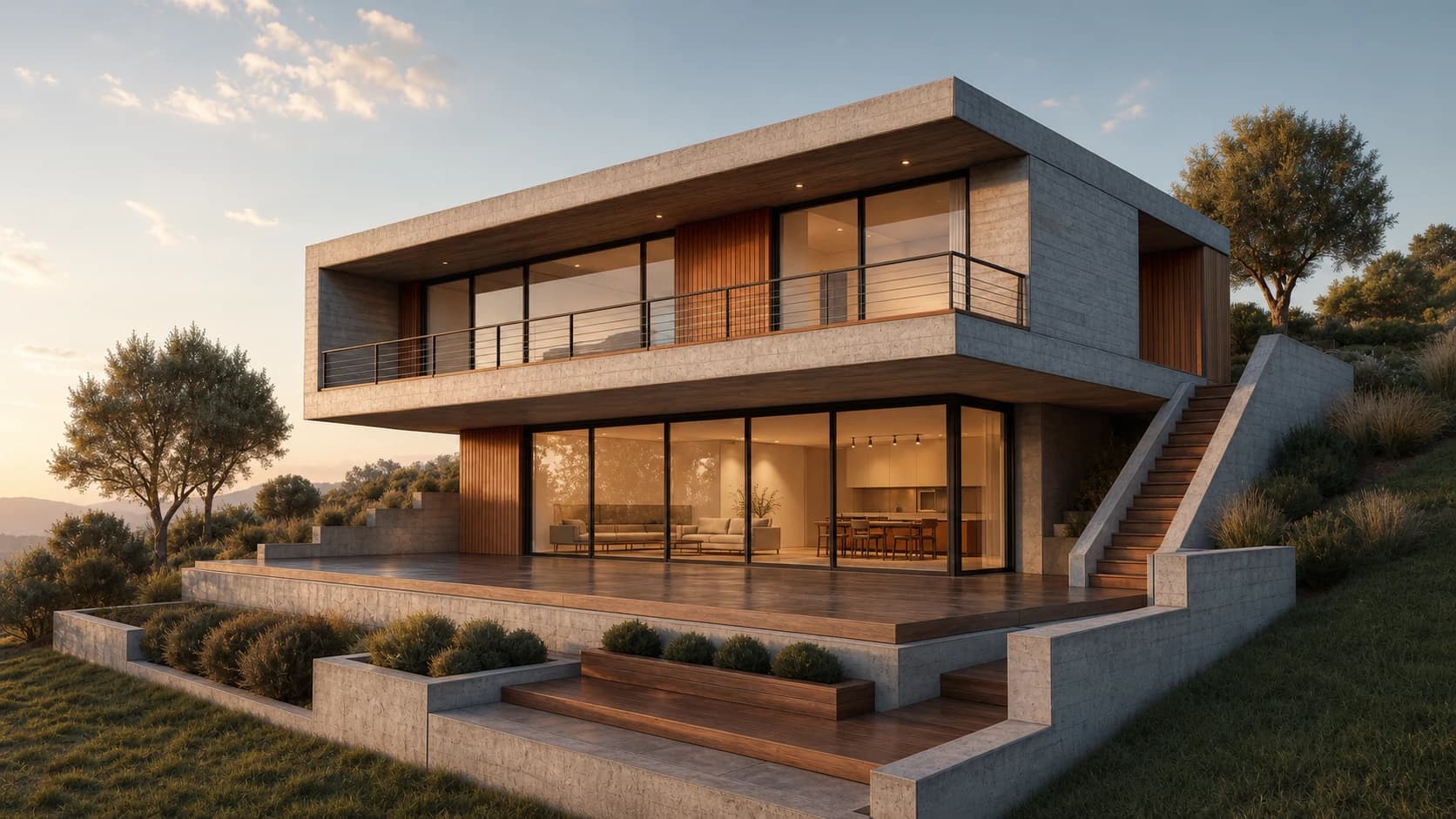
Commonly Cited Strengths & Limitations
Strengths
- Fast turnaround — first frame in about 20 seconds
- Preserves original geometry, massing and camera
- Consistent materials and light across the whole set of renderings
- No plugin or CAD licence required, nothing to install
- First render is free with no card needed
Common Use Cases
- Client presentation decks
- Planning and submission packs
- Competition and studio crit boards
- Pre-sales and real estate brochures
- Base-pass material/lighting layer for visualisers
Details
- Pricing Model
- Free Trial
- Category
- Design & Creative
Who is ArchVizr for?
Independent Architecture Practices
Small one-to-ten-person studios export a SketchUp model and get a full set of consistent frames by morning without a visualisation retainer or renderer subscription.
Architecture Students
Turn a hand sketch or Rhino screenshot into a photoreal frame the night before a studio crit, pin-up or competition jury.
Property Developers
Turn an unsettled massing study into real estate renderings that read as a finished building before the elevation is signed off, in time for a pre-sales brochure.
Freelance Visualisers
Run an export through it to produce the base material-and-light pass, then finish the grading themselves in Photoshop.
Frequently Asked Questions
Does ArchVizr offer a free trial?
Yes, ArchVizr offers a free trial.
Does ArchVizr have an API?
ArchVizr does not currently offer a public API.
What does ArchVizr integrate with?
ArchVizr integrates with SketchUp, Revit, CAD, Rhino.
Is ArchVizr cloud-based or self-hosted?
ArchVizr is offered as a cloud-based (SaaS) deployment.
Who is ArchVizr best for?
ArchVizr is best suited for Independent Architecture Practices, Architecture Students, Property Developers.
What can I use ArchVizr for?
Common uses for ArchVizr include client presentation decks, planning and submission packs, competition and studio crit boards, pre-sales and real estate brochures.
How does ArchVizr compare to InfiniteArt.ai?
ArchVizr and InfiniteArt.ai are both used for design & creative -- specifically image generators. See the full side-by-side comparison for pricing and feature differences.
Key Features
- Sketch RenderingTurns a hand sketch, hidden-line export or massing screenshot into a photoreal image while keeping windows and camera where you drew them.
- Exterior RenderingApplies materials like brick, corten, cedar or render to the same facade for multiple exterior options before ordering a sample.
- Photorealistic RenderingRelights the same building for different scenarios, e.g. golden hour for a client deck or overcast for a planning pack.
- Landscape RenderingAdds planting, paving and boundary treatment around the building with season and planting maturity set per frame.
- Interior RenderingCarries the exterior palette indoors for lobbies, atria and show units that match the elevation.
- Geometry PreservationReads the drawing as structure, preserving massing, floor count, roof line, camera position and framing without moving a window.
- Style TransferTakes a palette from a dropped-in photo or moodboard reference image, including watercolor styles for competition boards.
- Lighting ControlChanges sun angle, season and time of day per frame, with interior lights on for evening views, without altering the building.
- Fast and Best ModesFast mode delivers a first frame in about 20 seconds; Best mode takes closer to two minutes for more detail.
Integrations
Technical Details
- Deployment
- Cloud
- Target Market
- B2B
- Free Trial
- Yes
Real Pricing from Verified Users
See what people actually pay for ArchVizr
Reviews
0 reviews
No reviews yet. Be the first to share your experience!
Switching Stories
Real migration experiences with ArchVizr
Discussion
Ask questions, share tips, or discuss this tool with other users.
No discussion yet. Start the conversation!
Similar tools in Design & Creative
Other listed tools in Design & Creative, not reviewed as direct alternatives

AI creative studio for iOS and Mac that turns text into images and animates them into video.
Also Image Generators
- Text-to-image generation
- Generate videos
- Multiple image models

- V7 image model
- Draft Mode
- Omni Reference

- Image generation and editing
- 3D and 4D video models
- Stable Audio 3.0

Craft custom BDSM-themed art and scenarios from text prompts using AI.
Also Image Generators
- Style Presets
- Prompt-Based Scene Generation
- Detailed Customization

DALL·E 2 is an AI image generation tool that produces four image variations from a text prompt with a simple generate...
Also Image Generators
- Text-to-image generation
- Concept combination
- Higher resolution

Starry AI generates digital art from text prompts, offering two modes: Altair for abstract imagery and Orion for fict...
Also Image Generators
- Text to Image
- 1000+ Styles
- Reimagine Images
People Also Viewed


More in Design & Creative

Collaborative interface design tool

The world's best image editing software