BrowserOS neo
Open-source, privacy-first agentic browser that runs AI agents locally instead of in the cloud
Data verified Sep 30, 2026
Score
- Price
- Free
- Try it free
- Free plan
Editorial Verdict
AI-researched, not hands-on testedBrowserOS neo's local-first architecture is a genuine answer to the privacy tradeoffs of cloud-run agentic browsers like Comet, and full Chrome extension support means switching doesn't mean giving up an existing extension setup.
Reviewed by AIToolPundit Editorial Team · last verified September 2026
About BrowserOS neo
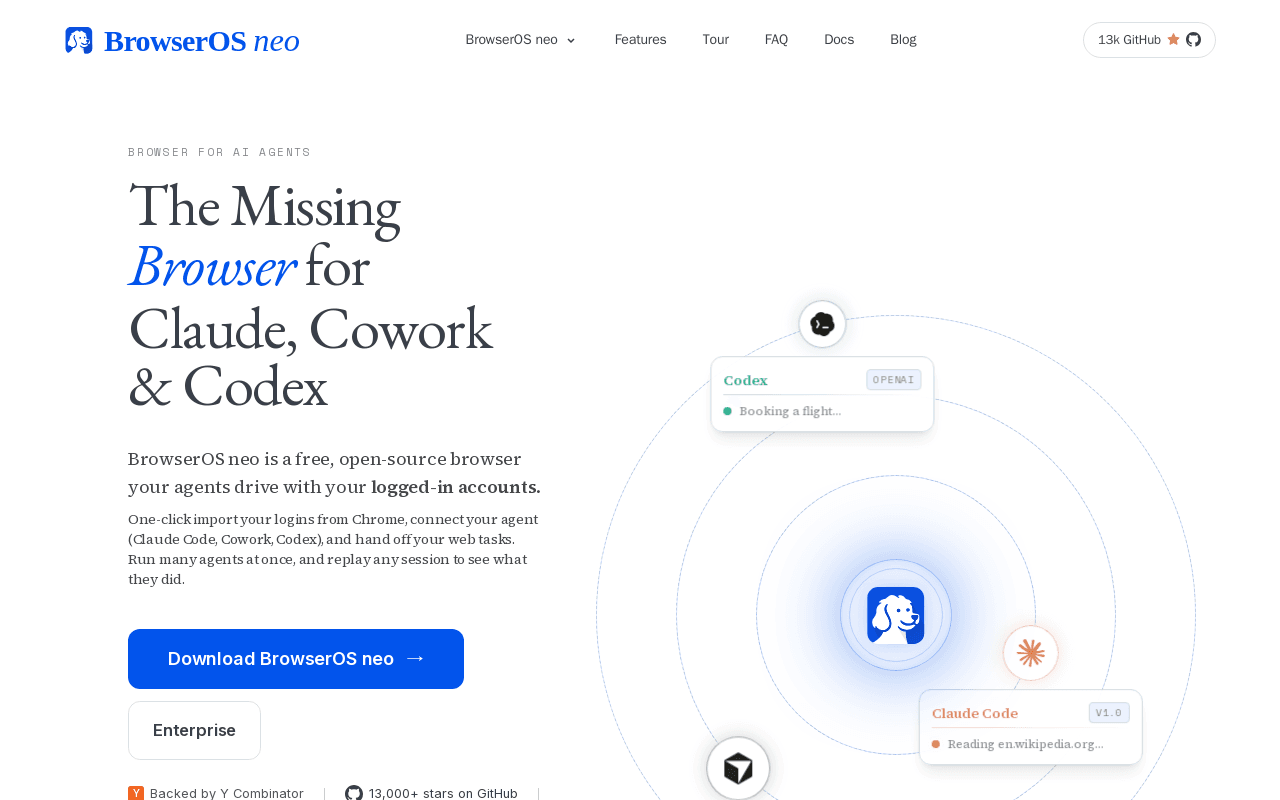
BrowserOS neo is an open-source, Chromium-based agentic browser positioned as a privacy-first alternative to cloud-run browser agents like Perplexity's Comet. It has a Chrome-like interface and supports existing Chrome extensions, but adds a local AI agent layer that can browse and take actions on a user's behalf using either the user's own API keys or fully local models via Ollama — keeping browsing data on the user's own machine rather than sending it to a cloud AI provider. Because agents run in the user's actual browser rather than a headless cloud instance, they inherit the user's real logins and sessions instead of needing separate authentication. BrowserOS also exposes an MCP-compatible interface, so external coding agents like Claude Code, Cursor, Codex, VS Code, Zed, or GitHub Copilot can drive the browser directly with a one-click install. The project is licensed under AGPL-3.0 and its source is maintained across several repositories under the browseros-ai GitHub organization.
Screenshots
Commonly Cited Strengths & Limitations
Strengths
- Runs agents locally by default — a real privacy advantage over cloud-based agentic browsers
- Full Chrome extension compatibility, unlike most from-scratch browser projects
Limitations
- AGPL-3.0 license requires source disclosure for any modified, publicly-served version
Details
- Pricing Model
- Free
- Starting Price
- Free
- Team Size
- 2-10
- Category
- Developer Tools
Frequently Asked Questions
Is BrowserOS neo free?
Yes, BrowserOS neo is free to use.
Does BrowserOS neo have an API?
BrowserOS neo does not currently offer a public API.
Is BrowserOS neo open source?
Yes, BrowserOS neo is open source.
What are the downsides of BrowserOS neo?
AGPL-3.0 license requires source disclosure for any modified, publicly-served version
How does BrowserOS neo compare to Gemini CLI?
BrowserOS neo and Gemini CLI are both used for developer tools. See the full side-by-side comparison for pricing and feature differences.
Key Features
- Local-first AI agentsAgents run on the user's own machine using their own API keys or local Ollama models, not a cloud service.
- Chrome-compatible interfaceFamiliar Chrome-like UI and works with existing Chrome extensions.
- Uses real logged-in sessionsAgents act inside the user's actual browser, inheriting real logins instead of needing separate authentication.
- MCP integrationExternal coding agents (Claude Code, Cursor, Codex, VS Code, Zed, GitHub Copilot) can drive the browser via MCP.
Technical Details
- Free Plan
- Available
Official Pricing
BrowserOS neo's published pricing · verified Sep 30, 2026
Free
Pricing shown above is sourced from BrowserOS neo's own published plans as of Sep 30, 2026 and can change at any time -- confirm current pricing on BrowserOS neo's own site before purchasing.
Real Pricing from Verified Users
See what people actually pay for BrowserOS neo
Reviews
0 reviews
No reviews yet. Be the first to share your experience!
Switching Stories
Real migration experiences with BrowserOS neo
Discussion
Ask questions, share tips, or discuss this tool with other users.
No discussion yet. Start the conversation!
Similar tools in Developer Tools
Other listed tools in Developer Tools, not reviewed as direct alternatives
Open-source AI agent that brings Gemini directly into your terminal
Similar tool in Developer Tools
- Large context window
- Code understanding & generation
- Google Search grounding

Confidential AI cloud running agents, LLMs, and GPU jobs inside hardware-backed TEEs.
Similar tool in Developer Tools
- Confidential VM
- Agent sandbox
- Confidential GPU marketplace

Build full-scale websites with AI, no code and no debugging required.
Similar tool in Developer Tools
- AI Website Generation
- AI Copywriter
- AI Image Generation

Collaborative AI development platform to build, test, and monitor LLM features
Similar tool in Developer Tools
- Prompt Management
- Evaluate
- Experiment

Lightweight open-source SDK for building AI agents and orchestrating AI models with existing code.
Similar tool in Developer Tools
- Function calling middleware
- Plugins
- OpenAPI specifications
The one MCP server to aggregate, manage, and proxy all your MCP servers from a single GUI.
Similar tool in Developer Tools
- One-click MCP server installation
- MCP aggregation & proxy
- Any MCP client support
People Also Viewed


More in Developer Tools
The platform for smart business apps


The agentic IDE powered by Codeium AI

Prompt, run, edit & deploy full-stack apps in the browser