
Fotor
AI-powered photo editor, image & video generator, and graphic design toolkit in one platform
Data verified Oct 17, 2026
Score
- Try it free
- Free plan
- Best for
- Social media creators
Editorial Verdict
AI-researched, not hands-on testedFotor is a web photo editor with apps for iOS, Android, Windows and Mac, offering editing, AI image generation, background removal, collages and design templates. It fits casual creators, small sellers and social media users who want quick edits without learning pro software. A limitation is that the live pricing page here showed no amounts, and paid tiers gate HD and transparent PNG export, batch AI edits and concurrency. For more manual control, look at GIMP or darktable, or at Pixlr for a similar online editor.
Reviewed by AIToolPundit Editorial Team · last verified October 2026
About Fotor
Fotor is an all-in-one online creative suite combining AI photo editing (enhance, background removal, retouch, object/watermark removal), AI image and video generation across models like Flux, Nano Banana, Google Veo 3 and Kling, plus graphic design tools for logos, collages, flyers and posters. It's aimed at small businesses, freelancers, marketers and e-commerce sellers who need studio-quality visuals and product/marketing content without professional software. Its main differentiator is breadth: a single browser-based tool that spans photo retouching, AI generation, and 'vibe marketing' product visuals and ad videos.
Screenshots
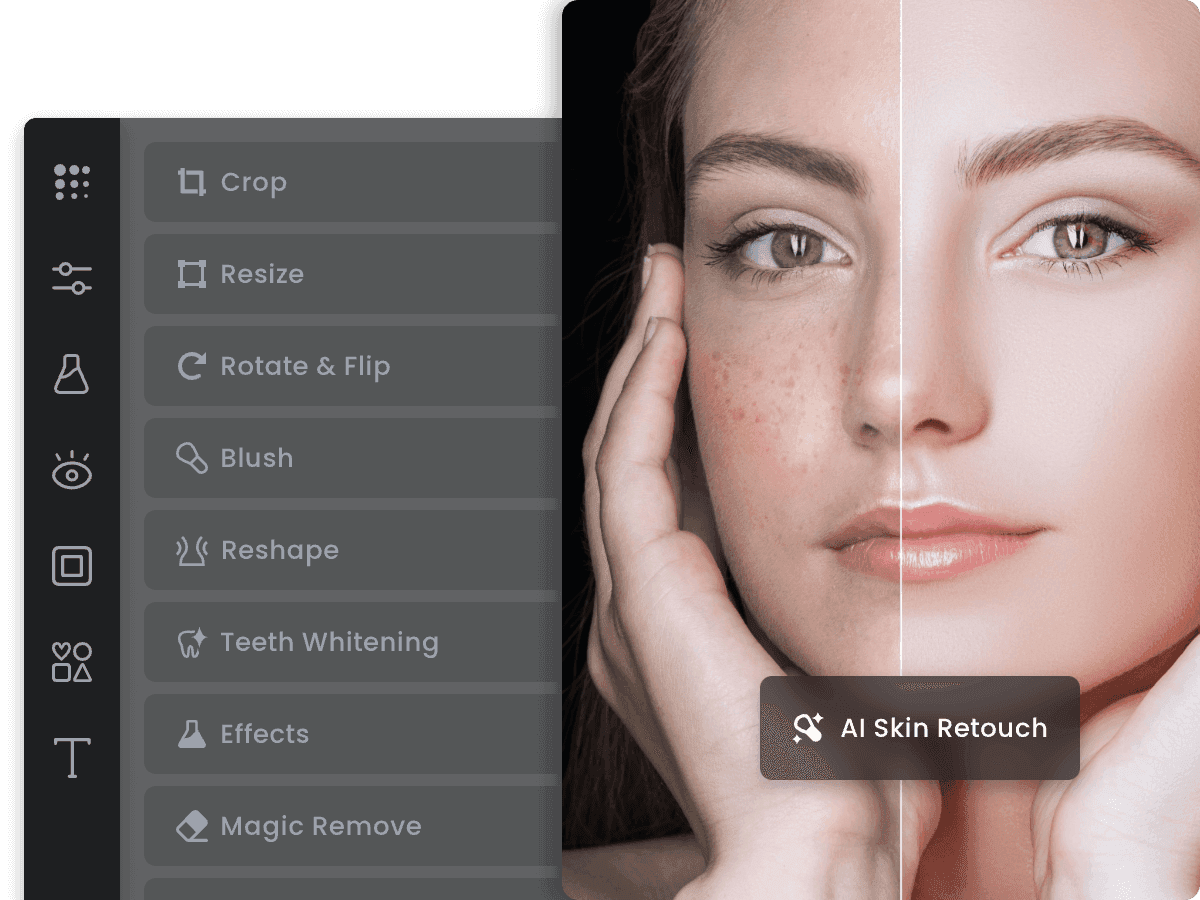
Commonly Cited Strengths & Limitations
Strengths
- Browser-based editor plus iOS, Android, Windows and Mac apps
- Combines photo editing, AI image generation, background removal, collage and design templates
- Free Basic plan with limited credits at no cost
- Paid plans add credit rollover for up to 5 months, multiple Brand Kits and AI batch editing
Limitations
- Many advanced features (AI expand, AI replace, high-resolution exports) are locked behind a paid subscription
- Free version applies watermarks to some outputs and limits high-resolution downloads and premium templates/fonts
- Credit system frustrates users—credits expire, get wasted on unsatisfactory results, and cost extra on top of a subscription
- Complaints of expensive/confusing pricing, surprise auto-renewals, no-refund policy, and hard-to-use cancellation
- Being fully online, it becomes slow or unusable on poor connections and lacks automatic project backup
- Lacks the advanced editing depth of professional software like Photoshop
- Interface can feel confusing and unintuitive
Common Use Cases
- Enhancing and upscaling image quality
- Removing or replacing photo backgrounds
- Removing objects, people, watermarks, or text from photos
- Restoring and colorizing old photos
- Retouching portraits and headshots
- Generating images from text with AI
- Generating and editing videos with AI
- Creating logos, collages, flyers, and posters
- Producing e-commerce product visuals and listing images
- Creating marketing and UGC ad videos
Details
- Pricing Model
- Freemium
- Team Size
- Small Business
- Category
- Design & Creative
Who is Fotor for?
Social media creators
Templates, collage layouts and one-click background removal speed up post and thumbnail creation.
Small online sellers
Background removal and replacement plus AI batch edit on paid plans suit product images.
Casual photographers
Cropping, color correction and portrait retouching run in the browser with no install.
Frequently Asked Questions
Is Fotor free?
Fotor offers a free plan.
Does Fotor have an API?
Fotor does not currently offer a public API.
Is Fotor cloud-based or self-hosted?
Fotor is offered as a cloud-based (SaaS) deployment.
What are the downsides of Fotor?
Many advanced features (AI expand, AI replace, high-resolution exports) are locked behind a paid subscription Also, Free version applies watermarks to some outputs and limits high-resolution downloads and premium templates/fonts
Who is Fotor best for?
Fotor is best suited for Social media creators, Small online sellers, Casual photographers.
What can I use Fotor for?
Common uses for Fotor include enhancing and upscaling image quality, removing or replacing photo backgrounds, removing objects, people, watermarks, or text from photos, restoring and colorizing old photos.
What is the best alternative to Fotor?
Our reviewed alternatives to Fotor are CapCut, GoEnhance, Pixlr, Photoroom, darktable and rembg. Open-source options: darktable, rembg.
How does Fotor compare to InfiniteArt.ai?
Fotor and InfiniteArt.ai are both used for design & creative -- specifically photo editing tools. See the full side-by-side comparison for pricing and feature differences.
Key Features
- AI Image EnhancerImproves image quality and resolution automatically.
- AI Photo EditorPerforms instant image editing with AI.
- Background RemoverRemoves the background from an image instantly.
- Change BackgroundReplaces the background of a photo.
- Remove ObjectRemoves unwanted objects from photos.
- Remove PersonRemoves a person from a photo.
- Watermark RemoverRemoves watermarks from images.
- Photo Text RemoverRemoves text from an image online.
- Image UpscalerUpscales images up to 4x online.
- Photo RestorationRestores old photos online.
- Colorize PhotoConverts black-and-white photos to color.
- Retouch PhotoEnhances portraits and photos for a polished look.
- AI Age ProgressionPredicts how someone would look at any age.
- Unblur ImageRemoves blur from an image.
- Sharpen ImageBrings out crisp details in an image.
- Image Text EditorEdits text within an image online.
- Image TranslatorTranslates text from images and photos.
- AI Hairstyle ChangerTries different haircuts and hair colors online.
- AI Change ClothesChanges outfits on a photo instantly.
- Photo to AnimeTurns a photo into anime style.
- Photo to CartoonTurns a photo into a cartoon.
- Photo to SketchConverts a photo to a sketch online.
- Ghibli ArtApplies a Studio Ghibli–style filter to a photo.
- Photo to PaintingTransforms a photo into a painting.
- AI Image GeneratorCreates images from text using multiple top models.
- AI Headshot GeneratorCreates professional, realistic headshots with AI.
- AI Image ExtenderExpands and uncrops images with AI.
- AI Avatar GeneratorCreates avatars with AI.
- AI Face GeneratorCreates realistic human faces using AI.
- AI Tattoo GeneratorGenerates tattoo designs from an idea.
- AI Baby GeneratorImagines a future child with AI.
- AI Video GeneratorCreates videos with AI.
- Image to VideoMakes a video from a photo.
- Video to VideoTransforms a video's style.
- Video EnhancerEnhances video quality online.
- Video Background RemoverRemoves the background from a video.
- Video Object RemoverRemoves objects from a video online.
- 4K Video ConverterUpscales video to 4K online.
- Logo MakerCreates professional logo designs in minutes.
- Collage MakerCreates photo collages online.
- Flyer MakerCreates custom flyers online.
- Poster GeneratorTransforms an image into an appealing poster with AI.
- Passport Photo MakerCreates passport photos at the proper size online.
- Batch Photo EditorEdits and enhances photos in bulk.
- Image to LayerTurns a flat image into editable layers online.
- Ghost MannequinCreates 3D ghost mannequin effects for clothing.
- Fashion Model AIGenerates realistic AI fashion models.
- AI PhotoShootGenerates AI photoshoots from any product image.
- UGC VideoCreates UGC-style ad videos.
- Link to AdConverts a product link into a video ad.
- Relight ImageAdjusts and enhances photo lighting conditions.
Technical Details
- Deployment
- Cloud
- Target Market
- Both
- Free Plan
- Available
Official Pricing
Fotor's published plans · verified Oct 17, 2026
Basic
Free/forever
- Limited free credits
- 1 concurrent generation
- 512MB cloud storage
- Normal JPG/PNG/PDF export
Pro
see site/per month, billed annually
- 10 concurrent generations
- HD and transparent PNG export
- 2GB storage, multiple Brand Kits
- AI batch edit (background remover and replacement)
Pro+
see site/per month, billed annually
- 30 concurrent generations
- 100GB cloud storage
- 4,000 AI Agent chats
- 1-year message history
Max
see site/per month, billed annually
- 50 concurrent generations
- 500GB cloud storage
- 10,000 AI Agent chats
- 10 AI Agent tasks
Pricing shown above is sourced from Fotor's own published plans as of Oct 17, 2026 and can change at any time -- confirm current pricing on Fotor's own site before purchasing.
Full Fotor pricing breakdown, free plan and cheaper alternatives →
Real Pricing from Verified Users
See what people actually pay for Fotor
Reviews
0 reviews
No reviews yet. Be the first to share your experience!
Switching Stories
Real migration experiences with Fotor
Discussion
Ask questions, share tips, or discuss this tool with other users.
No discussion yet. Start the conversation!
Fotor alternatives we reviewed
Reviewed when this listing was published; open-source options are marked.
CapCut
Photo and video editing suite frequently compared to Fotor.
GoEnhance
AI image/video enhancement tool positioned as a Fotor alternative.
Pixlr
Free online AI photo editor and image generator for editing photos, removing backgrounds and making collages.
Photoroom
AI-powered photo editing tool and listing studio for e-commerce and social media visuals.
darktable
Open sourceOpen source photography workflow application and raw developer.
- Cost:
- Free / self-host
- Licence:
- Open source
rembg
Open sourceTool to remove image backgrounds.
- Cost:
- Free / self-host
- Licence:
- Open source
Similar tools in Design & Creative
Other listed tools in Design & Creative, not reviewed as direct alternatives

AI creative studio for iOS and Mac that turns text into images and animates them into video.
Also Photo Editing Tools
- Text-to-image generation
- Generate videos
- Multiple image models
AI headshot generator that turns your selfies into professional headshots in under 90 minutes.
Also Photo Editing Tools
- AI Headshot Generation
- AI Virtual Try-On
- Reprocessing
All-in-one browser AI platform for generating images, video, music, voice chat, and more.
Also Photo Editing Tools
- AI Image Generator
- AI Video Generator
- AI Music Generator
AI-first design platform with vector tools, templates, mockups and brand kits
Also graphic-design-tools
- AI generation
- Editing tools
- Infinite canvas

AI creative agents that turn one brief into on-brand images, video, copy, slides, and audio
Also graphic-design-tools
- AI Agent
- Brand consistency
- Smart Model Routing

Turn website heatmaps into AI-generated UI redesigns and code in seconds.
Also graphic-design-tools
- Generative UI from heatmaps
- Improvement goals
- Improvement report
Also used for
People Also Viewed


More in Design & Creative

Collaborative interface design tool

The world's best image editing software