Kling 3.0 AI Video Generator
Generate native 4K AI videos with synchronized audio and physics-aware motion
Data verified Oct 30, 2026
Score
- Price
- From $9.9 one-time (Starter, 99 credits)
- Best for
- Filmmakers and storytellers
- Platforms
- Web
Editorial Verdict
AI-researched, not hands-on testedKling 3.0 AI Video Generator is a web app for producing short AI videos in native 4K or 1080p with synchronized audio, physics-based motion, and prompt-driven camera control. It suits filmmakers previsualizing scenes and marketers producing short social or ad clips who want audio generated alongside visuals rather than added in post. The main limitation is clip length, capped at 15 seconds, and there is no published API, mobile app, or free plan.
Reviewed by AIToolPundit Editorial Team · last verified October 2026
About Kling 3.0 AI Video Generator
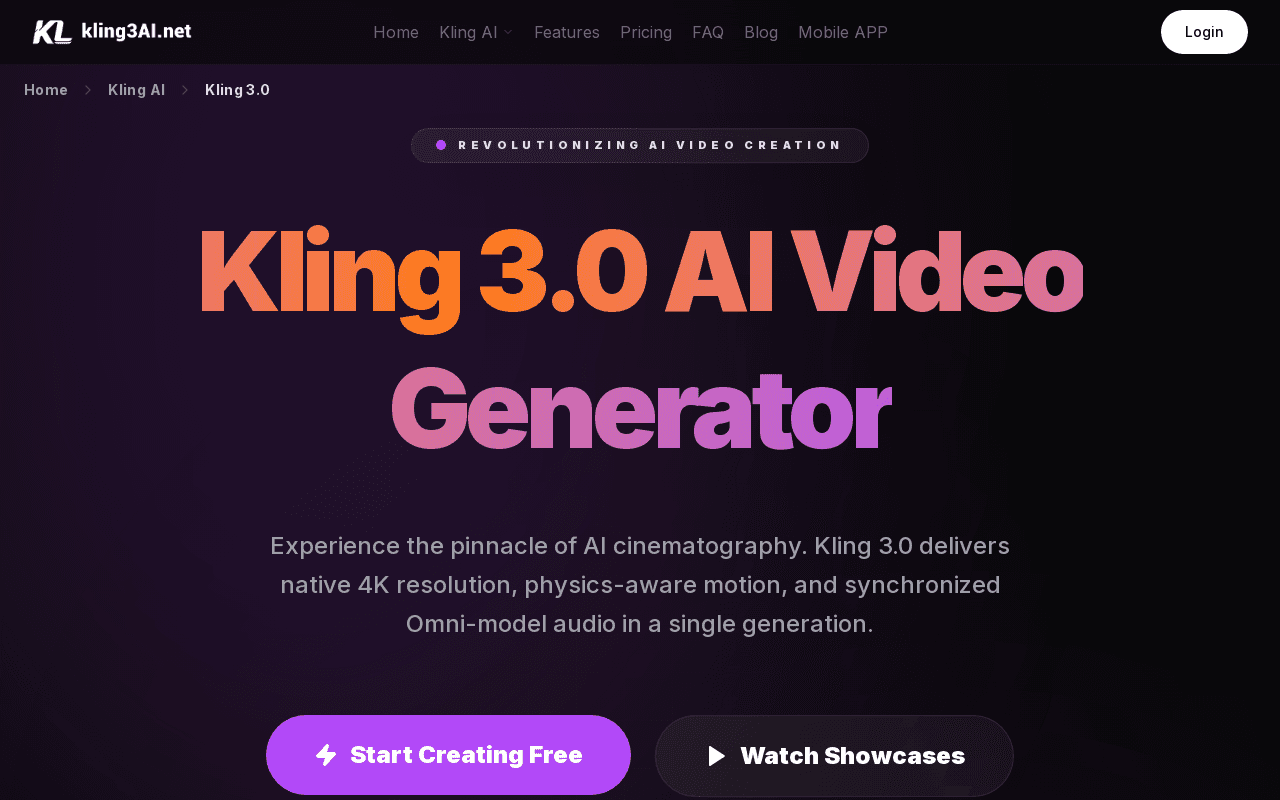
Kling 3.0 AI Video Generator is a web-based AI cinematography tool that produces videos from text prompts, images, or reference frames. The platform outputs native 4K or 1080p with HDR color, generates synchronized dialogue, sound effects, and ambience in a single pass, and supports physics-accurate motion along with camera direction written in natural language prompts. Users can lock character looks and outfits across shots and produce continuous sequences up to 15 seconds with automatic shot planning.
The Creative Studio offers text-to-video, image-to-video, video edit, and reference-to-video modes, with aspect ratio options and durations of 5s, 10s, or 15s. Pricing is sold as one-time credit packs rather than a subscription, with watermark-free downloads, commercial usage rights, and credits that do not expire. Support is handled over email, and the platform states a 7-day refund window subject to minimal usage.
Screenshots
Commonly Cited Strengths & Limitations
Strengths
- Native 4K and 1080p output with HDR support
- Audio is generated synchronized with visuals in one pass
- Credits are one-time purchases, do not expire, and allow commercial use
Limitations
- Maximum generated clip length is 15 seconds
- No subscription or free plan is published
- No public API or mobile app is listed
Common Use Cases
- Film and storytelling scenes with camera direction
- Marketing product demos and motion ads with native audio
- Short-form social media video for Reels, TikTok, and Shorts
Details
- Pricing Model
- Paid
- Starting Price
- From $9.9 one-time (Starter, 99 credits)
- Platforms
- Web
- Category
- AI Image & Video Generation
Who is Kling 3.0 AI Video Generator for?
Filmmakers and storytellers
Creators previsualizing scenes, storyboarding, or producing short narrative sequences with camera direction and character consistency.
Marketing and social media creators
Teams producing short product demos, motion ads, and vertical clips for Reels, TikTok, or Shorts under 15 seconds.
Frequently Asked Questions
How much does Kling 3.0 AI Video Generator cost?
Kling 3.0 AI Video Generator starts at From $9.9 one-time (Starter, 99 credits) (Paid).
Does Kling 3.0 AI Video Generator have an API?
Kling 3.0 AI Video Generator does not currently offer a public API.
What platforms does Kling 3.0 AI Video Generator support?
Kling 3.0 AI Video Generator is available on Web.
What are the downsides of Kling 3.0 AI Video Generator?
Maximum generated clip length is 15 seconds Also, No subscription or free plan is published
Who is Kling 3.0 AI Video Generator best for?
Kling 3.0 AI Video Generator is best suited for Filmmakers and storytellers, Marketing and social media creators.
What can I use Kling 3.0 AI Video Generator for?
Common uses for Kling 3.0 AI Video Generator include film and storytelling scenes with camera direction, marketing product demos and motion ads with native audio, short-form social media video for reels, tiktok, and shorts.
How does Kling 3.0 AI Video Generator compare to InfiniteArt.ai?
Kling 3.0 AI Video Generator and InfiniteArt.ai are both used for ai image & video generation -- specifically video editing tools. See the full side-by-side comparison for pricing and feature differences.
Key Features
- Native 4K and 1080p outputGenerates videos in native 4K or 1080p with HDR color and professional export formats.
- Synchronized native audioProduces dialogue, sound effects, and ambience synced to visuals in a single generation pass.
- Physics-accurate motionSimulates gravity, balance, collisions, and fluid movement in generated scenes.
- Camera control via promptAccepts cinematic camera moves such as pan, zoom, and orbit written directly in the text prompt.
- Character identity consistencyKeeps character looks, outfits, and key elements stable across multi-shot sequences.
- Multi-shot sequences up to 15 secondsGenerates continuous narratives up to 15s with automatic shot planning and transitions.
Technical Details
Official Pricing
Kling 3.0 AI Video Generator's published plans · verified Oct 30, 2026
Starter
$9.9/one-time
- 99 credits
- Watermark-free downloads
- Commercial use allowed
- Standard queue speed
Standard
$29.9/one-time
- 330 credits
- Priority queue speed
- Access to latest models
- Commercial use allowed
Pro
$49.9/one-time
- 600 credits
- Fast priority queue
- Access to all models
- Commercial use allowed
Premier
$99.9/one-time
- 1250 credits
- Highest priority queue
- Access to all models
- Priority support
Pricing shown above is sourced from Kling 3.0 AI Video Generator's own published plans as of Oct 30, 2026 and can change at any time -- confirm current pricing on Kling 3.0 AI Video Generator's own site before purchasing.
Full Kling 3.0 AI Video Generator pricing breakdown, free plan and cheaper alternatives →
Real Pricing from Verified Users
See what people actually pay for Kling 3.0 AI Video Generator
Reviews
0 reviews
No reviews yet. Be the first to share your experience!
Switching Stories
Real migration experiences with Kling 3.0 AI Video Generator
Discussion
Ask questions, share tips, or discuss this tool with other users.
No discussion yet. Start the conversation!
Similar tools in AI Image & Video Generation
Other listed tools in AI Image & Video Generation, not reviewed as direct alternatives

AI creative studio for iOS and Mac that turns text into images and animates them into video.
Also Video Editing Tools
- Text-to-image generation
- Generate videos
- Multiple image models

Adobe's all-in-one generative AI creative studio for commercial-safe content
Also Video Editing Tools
- Image Generation
- Video Generation
- Audio Generation
AI dubbing and localization with a full editor to transcribe, translate, caption, and dub in 50+ languages.
Also Video Editing Tools
- Automated dubbing
- Transcription
- Translation

- Seedance 2.5
- Nano Banana Pro
- Higgsfield Genjutsu

AI creative agents that turn one brief into on-brand images, video, copy, slides, and audio
Also Video Editing Tools
- AI Agent
- Brand consistency
- Smart Model Routing

- Video translation and dubbing
- Voice cloning
- Lip-sync
Also used for
People Also Viewed


More in AI Image & Video Generation

All-in-one audio & video editing

Open-source image generation AI