
PDF Candy
All-in-one online and desktop PDF toolkit to edit, convert, merge, compress and sign PDFs.
Data verified Nov 8, 2026
Score
- Price
- $4/month
- Try it free
- Free plan
- Best for
- Students and everyday users
About PDF Candy
PDF Candy is an all-in-one PDF platform offering close to 100 online tools to edit, convert, merge, split, compress, OCR, protect and sign PDF files, plus AI-powered Summarize, Chat with PDF and Translate features. It serves everyday users, students, freelancers and small businesses who need occasional or frequent PDF processing across the web or a downloadable desktop app. Its main differentiators are the unusually broad breadth of tools in one place and a privacy commitment to delete uploaded files from its servers within two hours in line with GDPR.
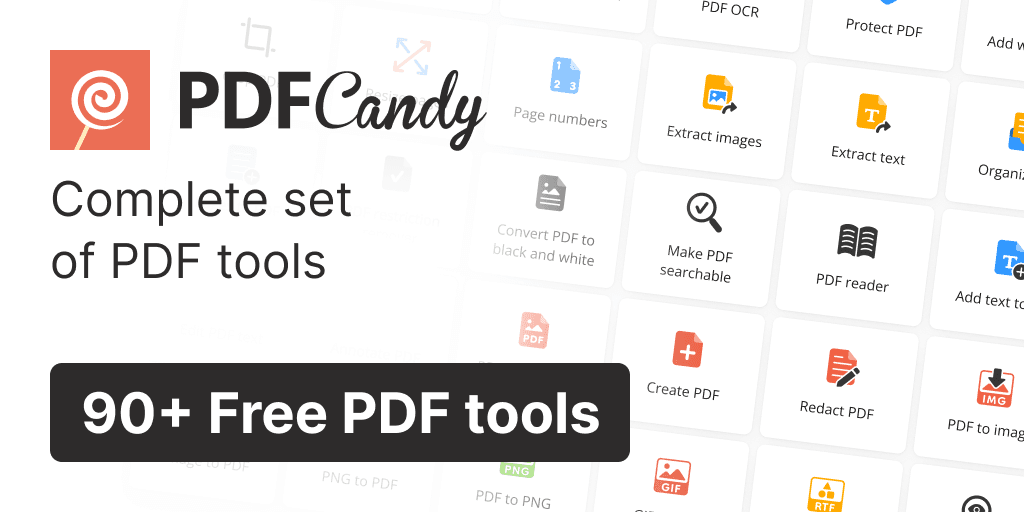
Screenshots
Commonly Cited Strengths & Limitations
Strengths
- Largest number of online PDF tools available on the web
- 100% privacy with files kept on servers no longer than two hours
- GDPR compliant
- Desktop app supports unlimited files, any file size and batch processing
- 30-day money back guarantee
- Secure payments processed by Paddle
Limitations
- Free plan limits usage (e.g. one task per hour, restricted number of tasks/files)
- File size limits on the web version; large files require the desktop app
- 'Lifetime' desktop license reportedly stopped working after a second computer change
- Reports of unresponsive customer support and refused refunds
- Metadata and text editor is limited and cumbersome (e.g. minimum font size, undo/redo bugs)
- Translate feature only outputs to English per some reviewers
Common Use Cases
- Edit PDF files
- Convert files to and from PDF
- Merge and split PDFs
- Compress PDF files
- Sign PDF documents
- Summarize and chat with PDFs using AI
- Translate PDFs
Details
- Pricing Model
- Freemium
- Starting Price
- $4/month
- Founded
- 2016
- Team Size
- Small Business
- Category
- Data Management
Who is PDF Candy for?
Students and everyday users
Use the free online tools for one-off tasks like converting, merging or compressing PDFs without installing software.
Small business and office workers
Rely on batch processing and the desktop app to edit, sign and manage large volumes of PDF documents.
Researchers and readers
Use the AI Summarize, Chat with PDF and Translate features to digest and interrogate long documents.
Frequently Asked Questions
Is PDF Candy free?
PDF Candy offers a free plan, with paid plans starting at $4/month.
Does PDF Candy have an API?
PDF Candy does not currently offer a public API.
What does PDF Candy integrate with?
PDF Candy integrates with Google (sign-in), Apple (sign-in), Paddle (payments).
Is PDF Candy cloud-based or self-hosted?
PDF Candy is offered as both cloud and self-hosted (hybrid) deployment.
What are the downsides of PDF Candy?
Free plan limits usage (e.g. one task per hour, restricted number of tasks/files) Also, File size limits on the web version; large files require the desktop app
Who is PDF Candy best for?
PDF Candy is best suited for Students and everyday users, Small business and office workers, Researchers and readers.
What can I use PDF Candy for?
Common uses for PDF Candy include edit pdf files, convert files to and from pdf, merge and split pdfs, compress pdf files.
What is the best alternative to PDF Candy?
Our reviewed alternatives to PDF Candy are Smallpdf, PDFsam Basic and LightPDF.
How does PDF Candy compare to AlphaResearch?
PDF Candy and AlphaResearch are both used for data management -- specifically document processing tools. See the full side-by-side comparison for pricing and feature differences.
Key Features
- Edit PDFEdit PDF text, add images, annotate, highlight and whiteout content.
- Compress PDFReduce the file size of PDF documents.
- Merge PDFCombine multiple PDF files into one document.
- Split PDFSeparate a PDF into multiple files.
- PDF ConverterConvert many file formats to and from PDF, including Word, JPG, Excel and more.
- PDF OCRRecognize and extract text from scanned PDFs.
- PDF SummarizerAI-powered summarization of PDF documents.
- Chat with PDFAI chat interface to interact with PDF content.
- Translate PDFTranslate PDF documents into other languages.
- Protect & Unlock PDFAdd or remove password protection on PDF files.
- Sign PDFAdd signatures to PDF documents.
- Organize pagesRotate, crop, delete, rearrange, extract and resize PDF pages.
- Batch processingProcess multiple files at once with PDF Candy Desktop.
Integrations
Technical Details
- Deployment
- Hybrid
- Target Market
- Both
- Free Plan
- Available
Support
Official Pricing
PDF Candy's published plans · verified Nov 8, 2026
Desktop + Web Yearly
$4/yr
- Access to PDF Candy Web
- Access to PDF Candy Desktop
- No hourly limits
- Increase file size per task up to 500 MB
- High priority processing (No queue)
- Video Candy WEB
Web Monthly
$6/mo
- Access to PDF Candy Web
- No hourly limits
- Increase file size per task up to 500 MB
- High priority processing (No queue)
Desktop + Web Lifetime
$99/one-time
- Access to PDF Candy Web
- Access to PDF Candy Desktop
Pricing shown above is sourced from PDF Candy's own published plans as of Nov 8, 2026 and can change at any time -- confirm current pricing on PDF Candy's own site before purchasing.
Full PDF Candy pricing breakdown, free plan and cheaper alternatives →
Real Pricing from Verified Users
See what people actually pay for PDF Candy
Reviews
0 reviews
No reviews yet. Be the first to share your experience!
Switching Stories
Real migration experiences with PDF Candy
Discussion
Ask questions, share tips, or discuss this tool with other users.
No discussion yet. Start the conversation!
PDF Candy alternatives we reviewed
Reviewed when this listing was published; open-source options are marked.
Smallpdf
Popular online PDF tool suite for converting, editing and compressing PDFs.
PDFsam Basic
Free, open-source desktop tool focused on splitting and merging PDFs.
LightPDF
Online PDF converter and editor with AI features.
Similar tools in Data Management
Other listed tools in Data Management, not reviewed as direct alternatives
AI-powered search engine that mines filings and earnings transcripts for investment insights.
Also Document Processing Tools
- Document Search
- Document Alerts & Filing Screener
- Trending Topics & Sentiment Analysis
All-in-one AI knowledge workspace for deeper thinking, not just faster answers
Also Document Processing Tools
- Ponder Agent
- Infinite canvas / knowledge mapping
- Multi-source import

Document understanding OCR that extracts text, images, tables, and equations
Also Document Processing Tools
- State of the art understanding of complex documents
- Natively multilingual and multimodal
- Top-tier benchmarks

AI document parser that turns PDFs, emails, and documents into structured, ready-to-use data.
Also Document Processing Tools
- Document capture
- AI data extraction
- Normalization and validation
Free browser-based AI that reads, summarizes, translates, and chats with your PDFs.
Also Document Processing Tools
- Chat with any PDF
- Summaries in seconds
- Translation (both ways)

Turn PDFs and any topic into structured visual mind maps with AI.
Also Document Processing Tools
- PDF to Mind Map
- Text to Mind Map
- AI Magic
Also used for
People Also Viewed


More in Data Management


Customer data platform