
Retouchia
Free AI photo editor for background removal, upscaling, and retouching.
Data verified Sep 26, 2026
Score
- Price
- Free
Editorial Verdict
AI-researched, not hands-on testedRetouchia targets a specific job: quick photo cleanup—background removal, upscaling, and basic retouching—without launching a heavier tool like Photoshop, which makes it a reasonable fit for sellers, marketers, and everyday users editing product shots or profile images. It's best thought of as a lightweight, task-focused utility rather than a full editor, so anyone needing layers, masking, or detailed manual control will still want a proper suite. One thing to check before committing: the tool bills itself as "free," but the listed pricing is paid, so the free tier is likely limited by usage, resolution, or watermarks—worth confirming on their site. With no feature specifics or user feedback available, that's about as far as the public data supports a verdict.
Reviewed by AIToolPundit Editorial Team · last verified September 2026
About Retouchia
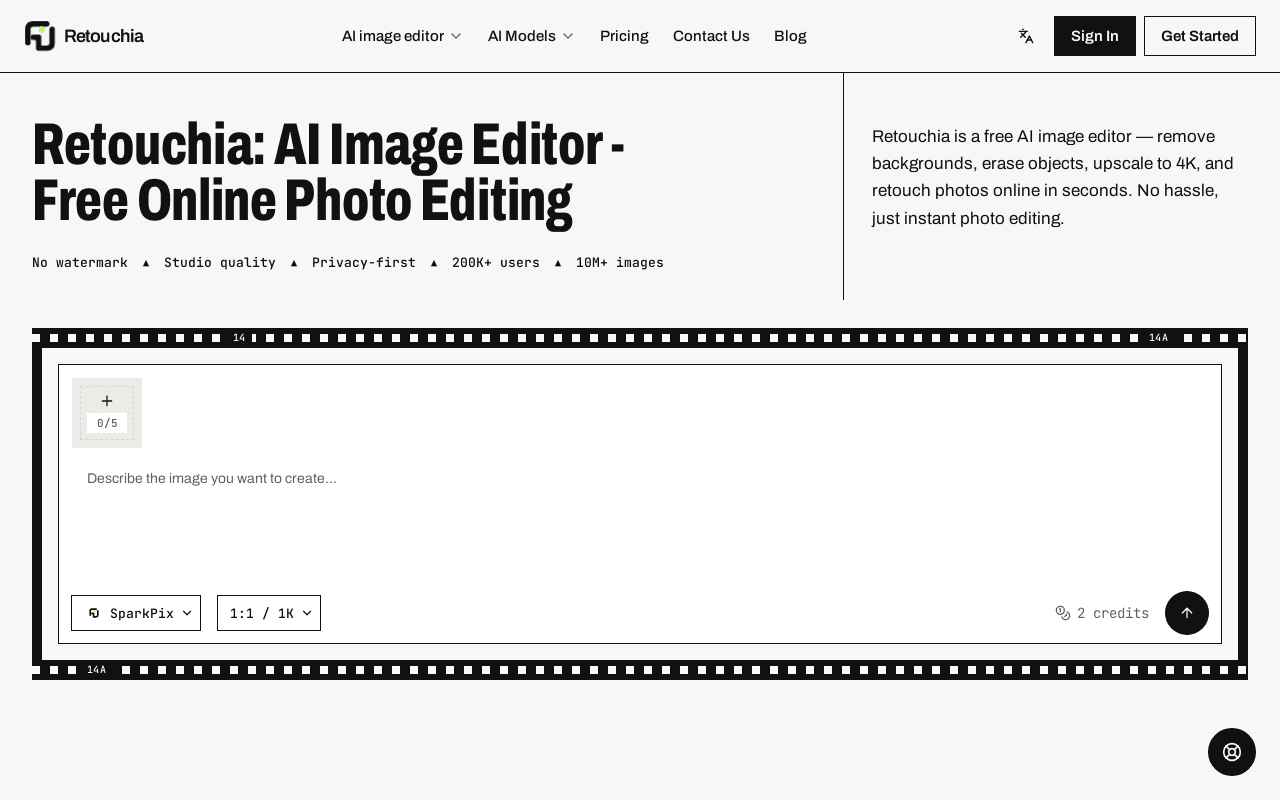
Retouchia is a free AI photo editor for background removal, image upscaling, and general photo retouching, aimed at everyday users, sellers, and marketers who need quick photo cleanup without opening a full editing suite like Photoshop.
Screenshots
Commonly Cited Strengths & Limitations
Strengths
- No sign-up required to try the editor, with 5 free credits to start immediately
- One-time credit purchases (not a recurring subscription) with credits valid for a full year
- Identity-preserving edits (hairstyle/outfit/pose try-on) go beyond basic background removal/upscaling
Limitations
- Free tier is limited to about 1 image (5 credits) before requiring a paid package
- Credit-based one-time purchases mean heavy repeat users may spend more over time than a flat monthly subscription
Details
- Pricing Model
- Freemium
- Starting Price
- Free
- Category
- AI Image & Video Generation
Frequently Asked Questions
How much does Retouchia cost?
Retouchia starts at Free (Freemium).
Does Retouchia have an API?
Retouchia does not currently offer a public API.
Is Retouchia cloud-based or self-hosted?
Retouchia is offered as a cloud-based (SaaS) deployment.
What are the downsides of Retouchia?
Free tier is limited to about 1 image (5 credits) before requiring a paid package Also, Credit-based one-time purchases mean heavy repeat users may spend more over time than a flat monthly subscription
How does Retouchia compare to Dreamlux?
Retouchia and Dreamlux are both used for ai image & video generation. See the full side-by-side comparison for pricing and feature differences.
Key Features
- Instruction-based photo editingType a plain-language instruction like "remove background", "erase object", or "enhance quality" and the AI runs the edit -- no manual tool selection or masking.
- Background removal & upscalingRemoves backgrounds, upscales images up to 4K, and restores or colorizes old/damaged photos.
- Identity-preserving editsChanges hairstyle, outfit, background, or pose in a selfie while keeping the person recognizably the same.
- No sign-up to startRuns entirely in-browser with no account creation required to try the editor, only 5 free credits included.
- Commercial-use licensingPaid credit packages explicitly allow commercial use of edited images, with credits valid for 1 year.
Technical Details
- Deployment
- Cloud
Official Pricing
Retouchia's published plans · verified Sep 26, 2026
Free
$0
- 5 free credits (~1 image)
- No credit card required
- Full-resolution downloads
Basic Package
$9.99 one-time
- 350 credits (~70 images)
- No watermarks, commercial use allowed
- Credits valid 1 year
Pro Package
$29.99 one-time
- 1,200 credits (~240 images)
- Priority processing
- Best value per credit, credits valid 1 year
Pricing shown above is sourced from Retouchia's own published plans as of Sep 26, 2026 and can change at any time -- confirm current pricing on Retouchia's own site before purchasing.
Full Retouchia pricing breakdown, free plan and cheaper alternatives →
Real Pricing from Verified Users
See what people actually pay for Retouchia
Reviews
0 reviews
No reviews yet. Be the first to share your experience!
Switching Stories
Real migration experiences with Retouchia
Discussion
Ask questions, share tips, or discuss this tool with other users.
No discussion yet. Start the conversation!
Similar tools in AI Image & Video Generation
Other listed tools in AI Image & Video Generation, not reviewed as direct alternatives

Browser-based AI video generator that turns text or images into watermark-free videos in minutes.
Similar tool in AI Image & Video Generation
- Text to Video
- Image to Video
- Text to Image
AI GIF generator that turns written prompts into animated loops
Similar tool in AI Image & Video Generation
- Prompt-to-GIF generation
- Multi-format output
- Resolution and quality controls
Turns 12-20 selfies into 40+ studio-style AI portraits in under 10 minutes from $29
Similar tool in AI Image & Video Generation
- Custom Flux LoRA model per user
- 40+ portraits at 2048x2560 px
- 30+ suit styles and backgrounds

Turn a sentence, image, or link into realistic AI human-led product videos.
Similar tool in AI Image & Video Generation
- Text-to-video
- Image-to-video
- Link-to-video

AI platform for generating and retargeting 3D human motion for games, simulation and robotics
Similar tool in AI Image & Video Generation
- Video-to-motion
- Text-to-motion
- Locomotion

AI video editor that produces fully-edited videos from footage or prompts
Similar tool in AI Image & Video Generation
- AI Edit
- AI avatars and digital twin
- Auto captions and translation
People Also Viewed




More in AI Image & Video Generation

All-in-one audio & video editing


Open-source image generation AI