
Uizard
AI-powered UI design tool that turns text prompts, screenshots, and sketches into editable mockups.
Data verified Oct 17, 2026
Score
- Price
- Free; Pro from $12/month billed annually
- Try it free
- Free plan
- Best for
- Startup founders and product managers
Editorial Verdict
AI-researched, not hands-on testedUizard is an AI design tool for making app and web mockups, wireframes and multi-screen prototypes. You can generate them from text prompts, or turn screenshots and hand-drawn sketches into editable designs. It suits product managers, founders and small teams who want a fast first draft without design training. The main limitation is the free plan, which allows 3 AI generations a month and 2 projects, so real use needs a paid plan. Teams that want a full design system or a free, self-hostable tool may prefer Figma or Penpot.
Reviewed by AIToolPundit Editorial Team · last verified October 2026
About Uizard
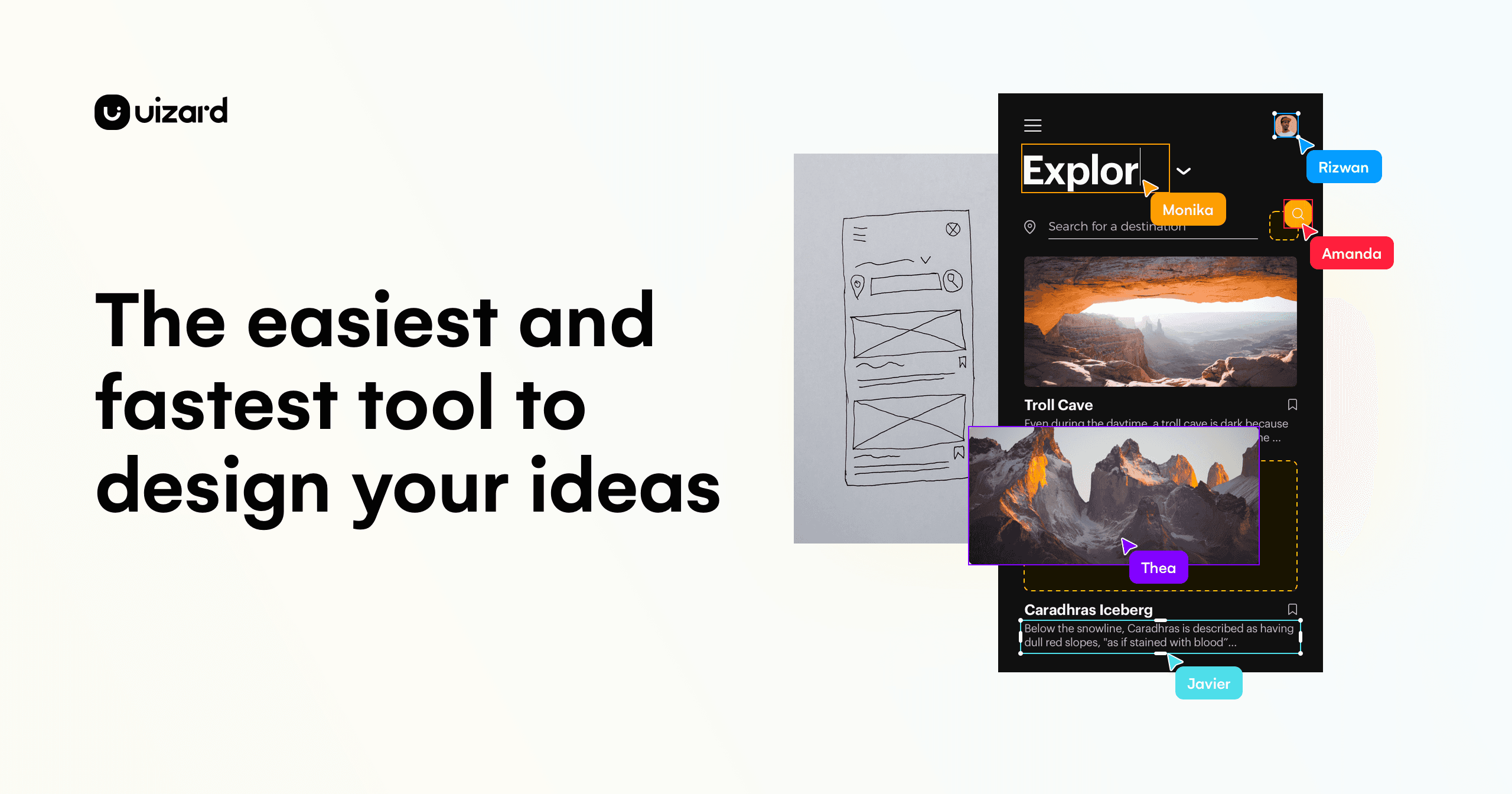
Uizard is a cloud-based AI UI/UX design platform that lets you generate multi-screen, editable prototypes, mockups, and wireframes from simple text prompts, screenshots, or hand-drawn sketches. It's aimed at non-designers and cross-functional product teams -- product managers, startup founders, marketers, consultants/agencies, and developers -- who need to move from idea to clickable prototype in seconds and collaborate in real time. Its main differentiator is Autodesigner, which generates entire projects, screens, and themes from plain English, alongside scanners that digitize screenshots and wireframe sketches into editable designs.
Screenshots
Commonly Cited Strengths & Limitations
Strengths
- Generates multi-screen editable prototypes from text prompts
- Screenshot Scanner turns screenshots into editable mockups, and Wireframe Scanner turns hand-drawn sketches into digital designs
- Pro plan includes React/CSS developer handoff
- Free plan is available; Pro is listed at $12/month billed annually
Limitations
- Clunky drag-and-drop; items are hard to select/group and easily become misaligned
- Limited customization and UI elements compared to advanced design tools
- Code export is limited to individual components (React/CSS), not entire screens
- Server can run slow or stall at times
- Not intuitive for some users, with a learning curve for advanced features and inconsistent keyboard shortcuts
- Subscription-only cloud tool requires internet access, and the free plan is limited
Common Use Cases
- Generating multi-screen editable prototypes from text prompts
- Converting screenshots into editable mockups
- Digitizing hand-drawn wireframe sketches
- Rapidly building startup MVP designs
- Creating mockups and clickable prototypes for product teams
- Turning client ideas into interactive mockups
Details
- Pricing Model
- Freemium
- Starting Price
- Free; Pro from $12/month billed annually
- Founded
- 2017
- Team Size
- Small Business, Enterprise
- Headquarters
- Copenhagen, Denmark
- Category
- Design & Creative
Who is Uizard for?
Startup founders and product managers
Prompt-to-prototype generation lets them produce a multi-screen mockup without design skills.
Consultants and agencies
The Screenshot Scanner and Wireframe Scanner turn client screenshots and sketches into editable mockups.
Small product teams
Pro includes private projects and React/CSS developer handoff for passing designs to engineers.
Frequently Asked Questions
Is Uizard free?
Uizard offers a free plan, with paid plans starting at Free; Pro from $12/month billed annually.
Does Uizard have an API?
Uizard does not currently offer a public API.
Is Uizard cloud-based or self-hosted?
Uizard is offered as a cloud-based (SaaS) deployment.
What are the downsides of Uizard?
Clunky drag-and-drop; items are hard to select/group and easily become misaligned Also, Limited customization and UI elements compared to advanced design tools
Who is Uizard best for?
Uizard is best suited for Startup founders and product managers, Consultants and agencies, Small product teams.
What can I use Uizard for?
Common uses for Uizard include generating multi-screen editable prototypes from text prompts, converting screenshots into editable mockups, digitizing hand-drawn wireframe sketches, rapidly building startup mvp designs.
What is the best alternative to Uizard?
Our reviewed alternatives to Uizard are Miro, Bubble, Penpot, Onlook, Figma and Visily. Open-source options: Penpot, Onlook.
How does Uizard compare to Heatbot.io?
Uizard and Heatbot.io are both used for design & creative -- specifically graphic-design-tools. See the full side-by-side comparison for pricing and feature differences.
Key Features
- Autodesigner 2.0Generates entire projects, screens, and themes from a simple text prompt.
- Screenshot ScannerTurns screenshots into editable mockups in seconds.
- Wireframe ScannerDigitizes hand-drawn wireframe sketches into editable digital designs.
- Generate prototypesCreates multi-screen, editable, clickable prototypes from text.
- Generate screensAdds new screens to an existing project to expand a design's scope.
- Generate themesCreates a new theme to instantly restyle a project.
- Modify any componentSelect a component, describe the change, and Autodesigner applies it.
- Design AssistantUizard's suite of AI design features for building and iterating on designs.
- Real-time collaborationLets an entire product team contribute to a design simultaneously.
- Predictive attention heatmapPredicts where users will focus their attention on a design.
- WireframingOnline wireframing for apps and websites.
- MockupsCreate digital product mockups.
- PrototypingBuild interactive prototypes.
- TemplatesPrebuilt templates for mobile app, website, web app, tablet, and wireframe designs.
- React/CSS handoffExport React and CSS code for components on a screen.
Technical Details
- Deployment
- Cloud
- Target Market
- B2B
- Free Plan
- Available
Official Pricing
Uizard's published plans · verified Oct 17, 2026
Free
$0/mo
- 3 AI generations per month
- 2 projects
- 10 templates
- Autodesigner engine
- Unlimited free viewers and commenters
Pro
$12/mo
- 500 generations
- Up to 100 projects
- React/CSS handoff
Business
$39/mo
- 5,000 generations
- Unlimited projects
- Custom brand kit
Enterprise
Contact Sales
- Unlimited generations
Pricing shown above is sourced from Uizard's own published plans as of Oct 17, 2026 and can change at any time -- confirm current pricing on Uizard's own site before purchasing.
Full Uizard pricing breakdown, free plan and cheaper alternatives →
Real Pricing from Verified Users
See what people actually pay for Uizard
Reviews
0 reviews
No reviews yet. Be the first to share your experience!
Switching Stories
Real migration experiences with Uizard
Discussion
Ask questions, share tips, or discuss this tool with other users.
No discussion yet. Start the conversation!
Uizard alternatives we reviewed
Reviewed when this listing was published; open-source options are marked.
Miro
Collaborative visual workspace that acquired Uizard; used for whiteboarding and design collaboration.
Bubble
No-code app builder for designing and launching functional web apps.
Penpot
Open sourceOpen-source design and prototyping tool for UI/UX teams.
- Cost:
- Free / self-host
- Licence:
- Open source
Onlook
Open sourceOpen-source, AI-first design tool for visually building, styling and editing code.
- Cost:
- Free / self-host
- Licence:
- Open source
Figma
Collaborative platform where teammates and AI agents work on a shared canvas to design, prototype and build products, with Figma Make turning prompts into code.
Visily
AI-assisted interface design platform that turns text prompts, screenshots, diagrams or templates into editable wireframes and prototypes.
Similar tools in Design & Creative
Other listed tools in Design & Creative, not reviewed as direct alternatives

Turn website heatmaps into AI-generated UI redesigns and code in seconds.
Also graphic-design-tools
- Generative UI from heatmaps
- Improvement goals
- Improvement report

- Chat-based generation
- Multi-agent build
- Design-to-code
- Digital solutions
- Digital marketing
- Digital commerce
AI-first design platform with vector tools, templates, mockups and brand kits
Also graphic-design-tools
- AI generation
- Editing tools
- Infinite canvas

- AI-powered data extraction
- Website change monitoring
- Scheduled runs

AI creative agents that turn one brief into on-brand images, video, copy, slides, and audio
Also graphic-design-tools
- AI Agent
- Brand consistency
- Smart Model Routing
Also used for
People Also Viewed




More in Design & Creative

Collaborative interface design tool

The world's best image editing software