
Wisecut
AI video editor that turns long videos and live streams into captioned social clips
Data verified Nov 16, 2026
Score
- Price
- From US$16.28/month (Starter+, billed annually)
- Try it free
- Free plan
- Best for
- Content creators
- Platforms
- Web
Editorial Verdict
AI-researched, not hands-on testedWisecut is a web-based AI clip generator aimed at creators and small teams who repurpose long-form video and live streams into short vertical clips with captions, scheduling and channel automation. It suits channels that publish consistently from a predictable source and want Autopilot and Social Hub rather than manual timeline editing. 4K export and 90-minute exports sit only on the Professional+ tier, which limits power users on lower plans. Open-source alternatives include Shotcut, Kdenlive, OpenShot and Auto-Editor, though those are manual editors or single-purpose utilities and only a partial match for Wisecut's AI clip generation workflow.
Reviewed by AIToolPundit Editorial Team · last verified November 2026
About Wisecut
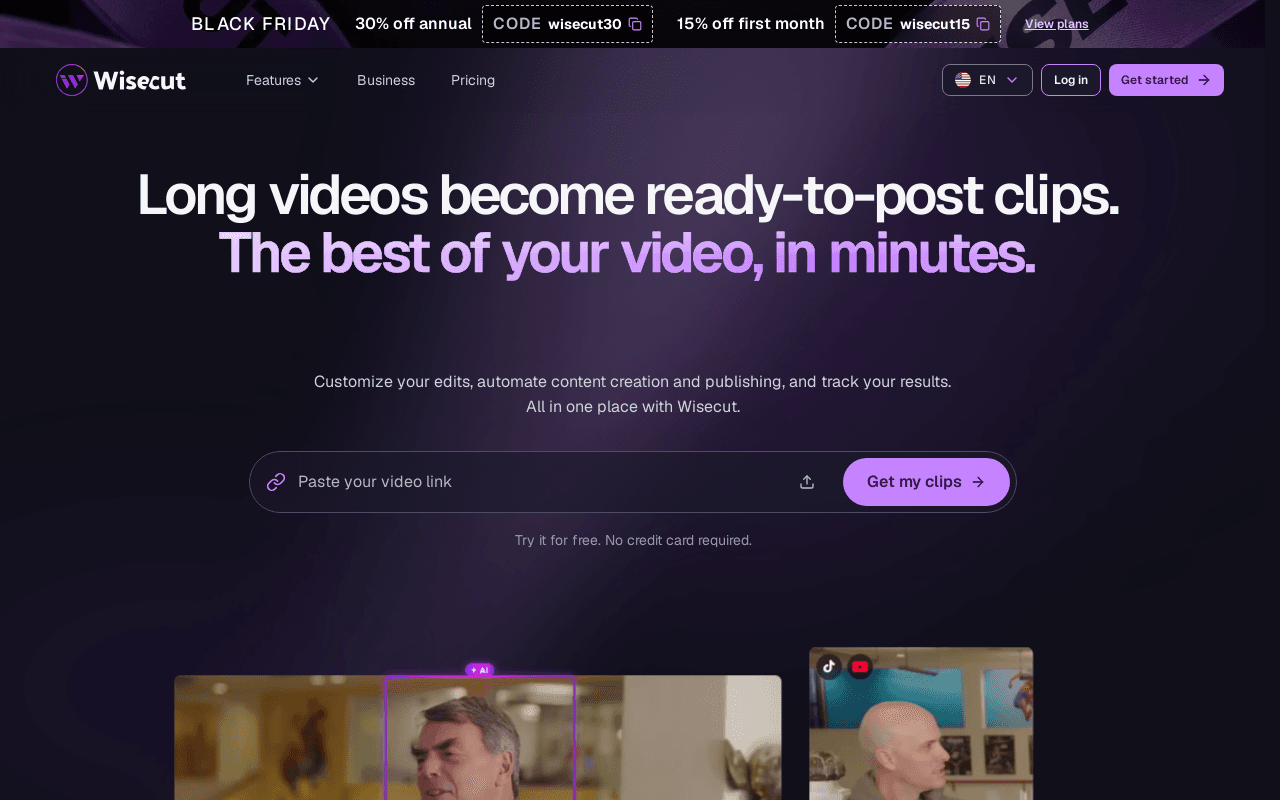
Wisecut is an AI video editing platform that converts long videos into short clips for social channels. It accepts a pasted video link or an uploaded file, selects moments, applies captions, reframes to vertical, square or horizontal, removes silences and false starts, and exports a finished clip. The in-app assistant Wish handles edits through chat or transcript editing, and the toolset includes auto-duck background music, noise cancellation, studio voice cleanup, auto punch-in and punch-out zooms, hook titles and thumbnail generation.
Beyond single edits, Wisecut adds Autopilot for watching a connected channel and automatically producing clips from each new upload, Social Hub for scheduling and auto-publishing across connected networks, and Live Clipping for generating clips from streams while they air. Plans share a credit balance used across Editor, Autopilot and Wish, with extra credit packs available on top of a subscription. The Starter+ and Professional+ plans include MCP so users can connect their own AI, and the pricing comparison also lists API access.
Screenshots
Commonly Cited Strengths & Limitations
Strengths
- Covers clip generation, captioning, scheduling and live clipping in one tool
- Shared credit balance works across Editor, Autopilot and Wish
- Free plan and all paid plans export without a watermark
Limitations
- Usage is capped by monthly credits across every plan
- 4K export and 90-minute exports are limited to the Professional+ plan
- No desktop or mobile native apps are mentioned, only browser access
Common Use Cases
- Convert long podcast or interview recordings into vertical captioned short clips
- Schedule and auto-publish short videos across connected social networks
- Generate highlight clips from live streams while they are still airing
Details
- Pricing Model
- Freemium
- Starting Price
- From US$16.28/month (Starter+, billed annually)
- Platforms
- Web
- Category
- AI Image & Video Generation
Who is Wisecut for?
Content creators
Creators repurposing long-form videos, podcasts or interviews into captioned vertical clips for TikTok, Reels and Shorts.
Marketing teams and agencies
Teams and agencies producing recurring social clips from webinars, testimonials and brand channels who want scheduling and auto-publishing in one place.
Frequently Asked Questions
Is Wisecut free?
Wisecut offers a free plan, with paid plans starting at From US$16.28/month (Starter+, billed annually).
Does Wisecut have an API?
Yes, Wisecut provides an API for developers.
What platforms does Wisecut support?
Wisecut is available on Web.
What are the downsides of Wisecut?
Usage is capped by monthly credits across every plan Also, 4K export and 90-minute exports are limited to the Professional+ plan
Who is Wisecut best for?
Wisecut is best suited for Content creators, Marketing teams and agencies.
What can I use Wisecut for?
Common uses for Wisecut include convert long podcast or interview recordings into vertical captioned short clips, schedule and auto-publish short videos across connected social networks, generate highlight clips from live streams while they are still airing.
What is the best alternative to Wisecut?
Our reviewed alternatives to Wisecut are Opus Clip, Submagic, Vidyo.ai, Descript, VEED.IO and Captions.
How does Wisecut compare to InfiniteArt.ai?
Wisecut and InfiniteArt.ai are both used for ai image & video generation -- specifically video editing tools. See the full side-by-side comparison for pricing and feature differences.
Key Features
- Wish AI editing assistantChat-based assistant that applies edits and works alongside a transcript-based editor to remove silences, repeats and unwanted takes.
- AutopilotWatches a connected channel and automatically generates, captions and publishes clips from each new upload to chosen networks.
- Social HubSchedules and auto-publishes clips to connected social networks and manages a calendar inside Wisecut.
- Live ClippingGenerates and publishes clips from a live stream while it is still airing.
- Auto captions and reframeProduces automatic captions with font and preset choices and reframes video to vertical, square or horizontal in one click.
- Audio polish and hooksNoise cancellation, studio voice cleanup, auto-duck background music, punch-in and punch-out zooms, hook titles and AI thumbnail generation.
Technical Details
- API
- Available
- Free Plan
- Available
Official Pricing
Wisecut's published plans · verified Nov 16, 2026
Free
US$0/mo/mo
- 30 min/month at 480p
- Exports up to 3 min
- 4 GB max file size
- No watermark
Starter+
US$29/mo/mo
- 1080p exports up to 60 min
- 300 credits/month (5h Editor, 2.5h Autopilot)
- Social scheduling and auto-publishing
- Email support
Professional+
US$119/mo/mo
- 4K exports up to 90 min
- 1,200 credits/month (20h Editor, 10h Autopilot)
- Up to 3 accounts per social network
- API access and priority support
Credit pack 150
US$25/one-time
- 150 extra credits
- 2.5h Editor or 1h 15min Autopilot
- Valid for 12 months
Credit pack 480
US$69/one-time
- 480 extra credits
- 8h Editor or 4h Autopilot
- Valid for 12 months
Credit pack 1,440
US$189/one-time
- 1,440 extra credits
- 24h Editor or 12h Autopilot
- Valid for 12 months
Credit pack 3,600
US$429/one-time
- 3,600 extra credits
- 60h Editor or 30h Autopilot
- Valid for 12 months
Pricing shown above is sourced from Wisecut's own published plans as of Nov 16, 2026 and can change at any time -- confirm current pricing on Wisecut's own site before purchasing.
Full Wisecut pricing breakdown, free plan and cheaper alternatives →
Real Pricing from Verified Users
See what people actually pay for Wisecut
Reviews
0 reviews
No reviews yet. Be the first to share your experience!
Switching Stories
Real migration experiences with Wisecut
Discussion
Ask questions, share tips, or discuss this tool with other users.
No discussion yet. Start the conversation!
Wisecut alternatives we reviewed
Reviewed when this listing was published; open-source options are marked.
Opus Clip
AI clip generator that turns long videos into captioned shorts for social networks.
Submagic
AI captions, B-roll and short-form editing for vertical social clips.
Vidyo.ai
AI tool that repurposes long videos and podcasts into short clips with captions.
Descript
Transcript-based video and audio editor with AI tools for cutting and captions.
VEED.IO
Browser-based video editor with auto-subtitles, reframe and AI tools.
Captions
AI video creator and editor with automatic captions and short-form workflow.
Similar tools in AI Image & Video Generation
Other listed tools in AI Image & Video Generation, not reviewed as direct alternatives

AI creative studio for iOS and Mac that turns text into images and animates them into video.
Also Video Editing Tools
- Text-to-image generation
- Generate videos
- Multiple image models
AI dubbing and localization with a full editor to transcribe, translate, caption, and dub in 50+ languages.
Also Video Editing Tools
- Automated dubbing
- Transcription
- Translation

- Seedance 2.5
- Nano Banana Pro
- Higgsfield Genjutsu
- Raya AI agent
- Competitor strategy extraction
- Customer review mining

AI creative agents that turn one brief into on-brand images, video, copy, slides, and audio
Also Video Editing Tools
- AI Agent
- Brand consistency
- Smart Model Routing

- Video translation and dubbing
- Voice cloning
- Lip-sync
People Also Viewed


More in AI Image & Video Generation

All-in-one audio & video editing


Open-source image generation AI