Codot
Voice-first AI assistant that captures notes, tasks, meetings and expenses
Data verified Nov 13, 2026
Score
- Price
- Free; Codot Max $12.99/month or $99.99/year
- Try it free
- Free plan
- Best for
- Busy individuals and ADHD users
- Platforms
- Web, iOS, Android, Watch
Editorial Verdict
AI-researched, not hands-on testedCodot is a voice-first personal AI assistant that brings tasks, calendar, notes, a personal CRM, meetings, expenses and habits into one memory that can also act for you. It suits individuals who prefer dictating over typing and teams who want shared Spaces with an AI project manager. Its free plan is broad and every new account gets 7 days of Codot Max, but reminders at a set time, automations and email triage need the paid Codot Max plan.
Reviewed by AIToolPundit Editorial Team · last verified November 2026
About Codot
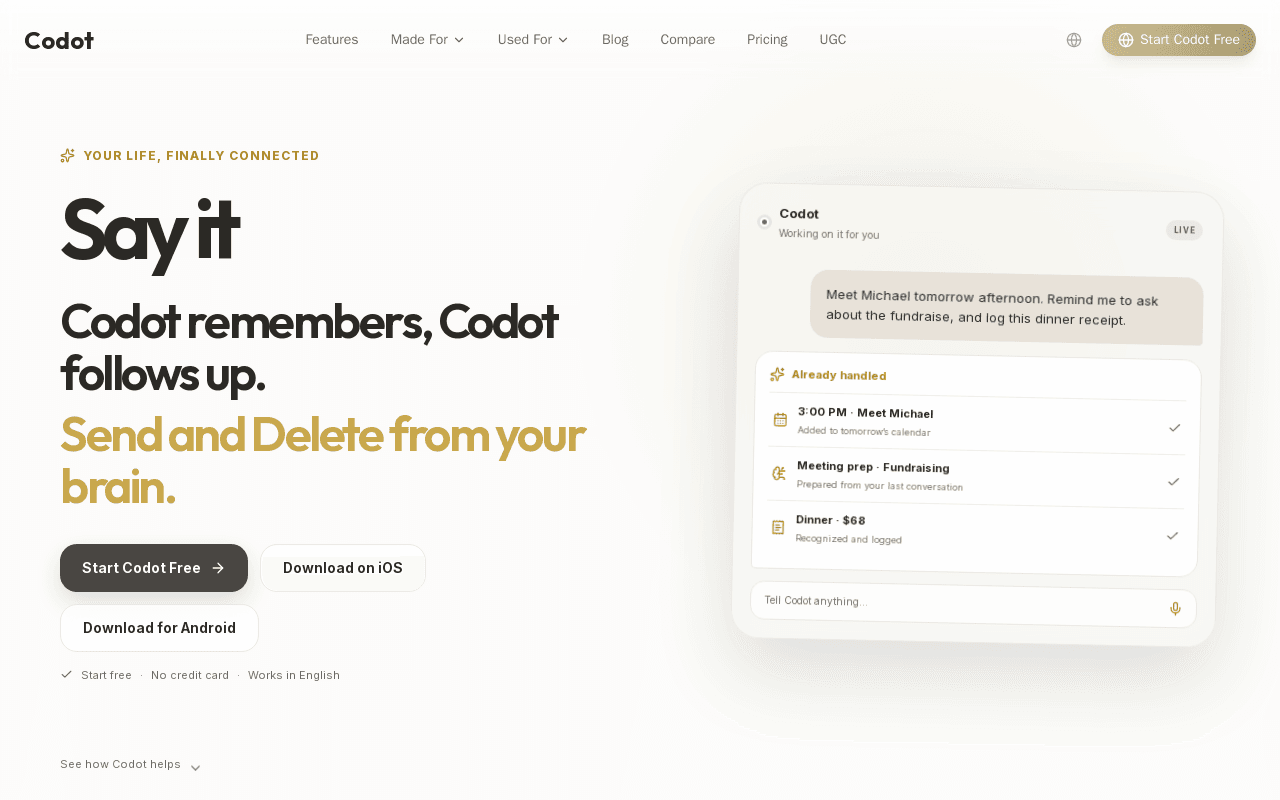
Codot is a cross-platform AI assistant that captures information by voice, text, photo, link or meeting recording and turns it into tasks, calendar events, notes, expense logs and meeting summaries. It remembers schedules, people, meetings, money, ideas, health and saved content in a connected memory that users can ask about later, and it can act on that memory by scheduling events, setting reminders, drafting emails and preparing follow-ups.
The product is available on Web, iPhone, Watch and Android, with hardware listed as coming soon. It includes a personal CRM, habit tracking, calorie logging, expense capture from receipt photos, meeting recording up to 2 hours, and shared Spaces with a space assistant for team tasks and notes. It syncs with Google Calendar, and on iPhone can add tasks to Apple Calendar and Apple Reminders. The free plan covers one-off tasks, the calendar, voice input, notes, the personal CRM, habits, calorie logging and expenses. Codot Max adds reminders at a set time, repeating tasks, daily briefings, scheduled automations, Gmail and Outlook email triage with reply drafts, and 20x the free plan's usage.
Screenshots
Commonly Cited Strengths & Limitations
Strengths
- Free plan covers tasks, calendar, voice input, notes, personal CRM, habits, calorie logging and expenses
- Available on Web, iPhone, Watch and Android
- 7 days of Codot Max included on every new account with no payment details needed
Limitations
- Reminders at a set time, repeating tasks, daily briefings, scheduled automations and email triage require Codot Max
- The pages do not mention a public API
- The hardware device is listed as coming soon, not available
Common Use Cases
- Capture meetings up to two hours and extract summaries, highlights and action items
- Log expenses and calories from receipt and meal photos
- Triage Gmail or Outlook inboxes and draft replies on Codot Max
Details
- Pricing Model
- Freemium
- Starting Price
- Free; Codot Max $12.99/month or $99.99/year
- Platforms
- WebiOSAndroidWatch
- Category
- Productivity & Automation
Who is Codot for?
Busy individuals and ADHD users
People who want to dictate a brain dump and have the assistant break overwhelming tasks into steps, remind them and keep plans, people and expenses organized.
Teams using Spaces
Teams that want shared tasks, notes and a calendar with an AI project manager in each Space.
Frequently Asked Questions
Is Codot free?
Codot offers a free plan, with paid plans starting at Free; Codot Max $12.99/month or $99.99/year.
Does Codot offer a free trial?
Yes, Codot offers a free trial of 7 days.
Does Codot have an API?
Codot does not currently offer a public API.
What platforms does Codot support?
Codot is available on Web, iOS, Android, Watch.
What are the downsides of Codot?
Reminders at a set time, repeating tasks, daily briefings, scheduled automations and email triage require Codot Max Also, The pages do not mention a public API
Who is Codot best for?
Codot is best suited for Busy individuals and ADHD users, Teams using Spaces.
What can I use Codot for?
Common uses for Codot include capture meetings up to two hours and extract summaries, highlights and action items, log expenses and calories from receipt and meal photos, triage gmail or outlook inboxes and draft replies on codot max.
What is the best alternative to Codot?
Our reviewed alternatives to Codot are Todoist, TickTick, Notion, Mem, Motion and Saner.AI.
How does Codot compare to Keepi?
Codot and Keepi are both used for productivity & automation -- specifically chat assistants. See the full side-by-side comparison for pricing and feature differences.
Key Features
- Voice and multi-modal captureCapture information by text, voice, meal and receipt photos, images and files, links, or meeting recordings up to 2 hours.
- Connected memoryRemembers schedules, people, meetings, money, ideas, health and content, and recalls the context when you ask.
- Proactive actionsCreates tasks, schedules events, reminds you, logs receipts, prepares meetings and researches people and topics.
- Email triage and draftsOn Codot Max, triages Gmail or Outlook email and drafts replies.
- Shared SpacesShared tasks, notes, calendar, routines, tags and members, with a space assistant and an AI project manager in each Space.
- Calendar syncSyncs with Google Calendar, and on iPhone can add tasks to Apple Calendar and Apple Reminders.
Technical Details
- Free Trial
- 7 days
- Free Plan
- Available
Official Pricing
Codot's published plans · verified Nov 13, 2026
Free
$0/mo
- One-off tasks and calendar
- AI assistant and voice input
- Cross-platform sync
- Notes and personal CRM
- Habit tracking, calorie logging and expenses
- Community support
Codot Max (monthly)
$12.99/mo
- 20x the free plan's usage
- Reminders at a set time and repeating tasks
- Daily briefings and scheduled automations
- Email triage and reply drafts for Gmail and Outlook
- Dynamic UI pages
- Priority support
Codot Max (yearly)
$99.99/yr
- Everything in Codot Max
- Shown as $8.33 per month
- Dedicated 1-on-1 support
- Desktop and advanced integrations
- Early access to new features
Pricing shown above is sourced from Codot's own published plans as of Nov 13, 2026 and can change at any time -- confirm current pricing on Codot's own site before purchasing.
Full Codot pricing breakdown, free plan and cheaper alternatives →
Real Pricing from Verified Users
See what people actually pay for Codot
Reviews
0 reviews
No reviews yet. Be the first to share your experience!
Switching Stories
Real migration experiences with Codot
Discussion
Ask questions, share tips, or discuss this tool with other users.
No discussion yet. Start the conversation!
Codot alternatives we reviewed
Reviewed when this listing was published; open-source options are marked.
Todoist
Cross-platform task manager with natural language input and AI assistant.
TickTick
Task manager with calendar, habits and voice input.
Notion
All-in-one workspace for notes, tasks and databases with Notion AI add-on.
Mem
AI notes app that auto-organizes and recalls information.
Motion
AI calendar and task planner that auto-schedules work.
Saner.AI
AI assistant for notes, tasks and calendar aimed at people who want help staying organized.
Similar tools in Productivity & Automation
Other listed tools in Productivity & Automation, not reviewed as direct alternatives

- Capture by forwarding
- Voice transcription
- Article reading

- Free AI music generator
- 10 free songs daily
- Granular creation controls
AI dubbing and localization with a full editor to transcribe, translate, caption, and dub in 50+ languages.
Also Voice & Speech Tools
- Automated dubbing
- Transcription
- Translation
Chat with AI versions of favorite fictional, anime, and historical characters.
Also Chat Assistants
- Diverse character library
- Custom character creation
- Voice chat
- AI support
- Live chat
- AI copilot

A minimal weekly planner and to-do app with a paper-like design for individuals and small teams.
Also Project Management Tools
- Weekly view planner
- Cross-device sync
- Recurring task management
People Also Viewed



More in Productivity & Automation

Connect your apps and automate workflows

Customer experience automation

Automate anything without code

Digital analytics platform