
Orca
Run Claude Code, Codex, and any coding agent in parallel, each in its own git worktree.
Data verified Sep 12, 2026
Score
- Try it free
- Free plan
- Best for
- Software engineers
About Orca
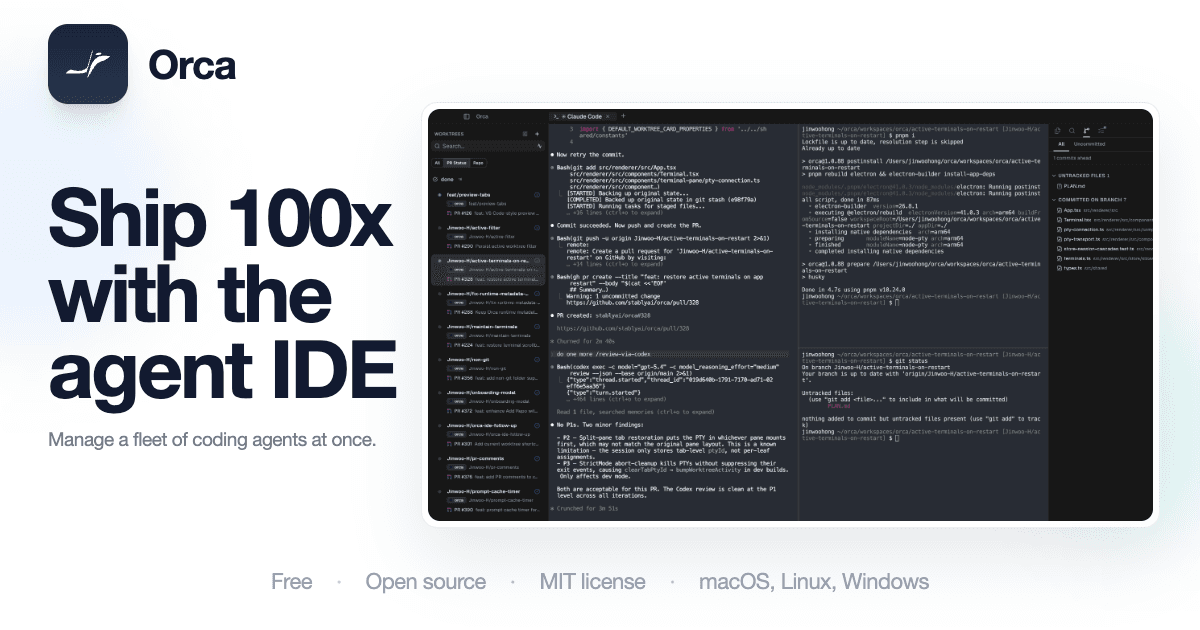
Orca is an open-source agent development environment (ADE) that lets developers run multiple CLI coding agents — like Claude Code, Codex, and OpenCode — side by side, each isolated in its own git worktree, with terminals, diffs, a Chromium browser, and a CLI in one desktop app. It's built for engineers who already rely on terminal-native agents and whose bottleneck is supervising parallel work rather than a single autocomplete assistant. Its key differentiator is treating a fleet of parallel agents as the default workflow — bring your own subscriptions, fan one prompt across several agents, and merge the winner — plus a mobile companion for monitoring agents on the go.
Screenshots
Commonly Cited Strengths & Limitations
Strengths
- Free, MIT-licensed, and local-first
- Works with existing agent subscriptions (Claude Code, Codex, OpenCode, Cursor CLI, and others)
- Worktree-first isolation avoids agents mutating one checkout
- Account hot-swap and live rate-limit visibility for multi-agent workflows
- Treats parallel agents as the default rather than an advanced feature
Limitations
- Doesn't include model usage — you still need your own agent installs, subscriptions, or API credits, and parallel sessions multiply cost
- Running many agents creates more branches, test runs, and merge conflicts, adding review burden
- Young project (appeared March 2026) with rapidly changing, not-yet-proven workflow and config stability
- Anonymous product telemetry is opt-out rather than absent, a concern for strict-policy organizations
- UI displays agent reasoning above the actual answer, which can be cluttered
- Overkill if you only need a simple editor autocomplete assistant
- Rate-limit pressure and increased review workload when running 3+ agents
Common Use Cases
- Running multiple coding agents in parallel across isolated git worktrees
- Fanning a single prompt across several agents to compare and merge the best output
- Reviewing and diffing AI-generated code before merging
- Monitoring and steering agent sessions remotely from a phone
- Sending live UI elements from a browser into an agent for design/frontend work
Details
- Pricing Model
- Free
- Founded
- 2026
- Category
- Developer Tools
Who is Orca for?
Software engineers
Engineers use Orca to orchestrate a fleet of parallel coding agents in isolated worktrees and review their diffs in one app instead of juggling branches and terminals.
AI power users / heavy agent users
Developers already running serious agents like Claude Code and Codex use Orca to hot-swap accounts, track rate limits, and supervise several agents at once.
Frequently Asked Questions
Is Orca free?
Yes, Orca is free to use.
Does Orca have an API?
Yes, Orca provides an API for developers.
Is Orca open source?
Yes, Orca is open source.
What does Orca integrate with?
Orca integrates with Claude Code, Codex, OpenCode, Grok, Gemini, Cursor, GitHub Copilot, Amp, and more.
Is Orca cloud-based or self-hosted?
Orca is offered as both cloud and self-hosted (hybrid) deployment.
What are the downsides of Orca?
Doesn't include model usage — you still need your own agent installs, subscriptions, or API credits, and parallel sessions multiply cost Also, Running many agents creates more branches, test runs, and merge conflicts, adding review burden
Who is Orca best for?
Orca is best suited for Software engineers, AI power users / heavy agent users.
What can I use Orca for?
Common uses for Orca include running multiple coding agents in parallel across isolated git worktrees, fanning a single prompt across several agents to compare and merge the best output, reviewing and diffing ai-generated code before merging, monitoring and steering agent sessions remotely from a phone.
How does Orca compare to IBM API Connect?
Orca and IBM API Connect are both used for developer tools -- specifically dev infrastructure tools. See the full side-by-side comparison for pricing and feature differences.
Key Features
- Parallel worktreesEvery task runs in its own isolated git worktree so multiple agents work simultaneously without stashing or branch juggling, and you can fan one prompt across several agents and merge the best result.
- Terminal splitsWebGL-rendered terminals with infinite splits, scrollback restored on restart, and full scrollback search.
- Design ModeA real Chromium window per worktree where you can click any UI element to send its HTML, CSS, and a cropped screenshot into your agent.
- Bring your own agent/subscriptionPlug in the coding-agent CLIs and subscriptions you already have and run them side by side in Orca.
- Git integrationBuilt-in diffs and review tooling to inspect and merge agent output.
- Mobile companion appiOS and Android app to watch live agent status, check usage, switch accounts, and keep terminal work moving away from your desk.
- Remote runtimePair desktops and run agents on a remote runtime, with desktop, mobile, and remote environments.
- Account hot-swapSwitch between agent accounts and see live rate-limit resets when running multiple agents.
Integrations
Technical Details
- Deployment
- Hybrid
- Target Market
- B2B
- API
- Available
- Free Plan
- Available
Real Pricing from Verified Users
See what people actually pay for Orca
Reviews
0 reviews
No reviews yet. Be the first to share your experience!
Switching Stories
Real migration experiences with Orca
Discussion
Ask questions, share tips, or discuss this tool with other users.
No discussion yet. Start the conversation!
Similar tools in Developer Tools
Other listed tools in Developer Tools, not reviewed as direct alternatives

Full lifecycle API management to create, secure, manage, and socialize APIs across clouds.
Also Dev Infrastructure Tools
- API Design
- API Lifecycle Management
- API Gateway

AI creative agents that turn one brief into on-brand images, video, copy, slides, and audio
Also AI Agent Platforms
- AI Agent
- Brand consistency
- Smart Model Routing

- Payment Gateway
- Payment Button
- Payment Links

- GitHub Copilot
- GitHub Actions
- GitHub Codespaces

- Durable Orchestration
- Sandboxed Environments
- AI Model Gateway
- AI orchestration
- Platform
- Security
Also used for
People Also Viewed




More in Developer Tools
The platform for smart business apps


The agentic IDE powered by Codeium AI

Prompt, run, edit & deploy full-stack apps in the browser