
Sharly AI
AI workspace to summarize, verify, and collaborate on research documents
Data verified Nov 10, 2026
Score
- Price
- Free; Pro $12.5/month billed yearly
- Try it free
- Free plan
- Best for
- Academics, analysts, and counselors
- Platforms
- Web
Editorial Verdict
AI-researched, not hands-on testedSharly AI is a document-grounded research workspace that summarizes uploads, compares claims and metrics across files, and answers questions with switchable APA, MLA, or Chicago citations. It suits researchers, analyst teams, and institutions that want traceable answers and role-based collaboration rather than open-ended chat. Limits to weigh: the free plan allows 5 documents per day and 10 per month, the fetched pages mention no public API, and Business pricing is custom. Self-hosted open-source tools such as Khoj, Quivr, PrivateGPT, and AnythingLLM cover document chat, but only partly match its citation switching and team review features.
Reviewed by AIToolPundit Editorial Team · last verified November 2026
About Sharly AI
Sharly AI is an AI workspace for reading, summarizing, and cross-checking research documents. Users upload documents (the pages list PDF, DOCX, PPTX, XLSX, Google Docs, Notion, and links), then ask questions, pull structured summaries, compare key metrics across documents, and get answers with source references that can be shown in APA, MLA, or Chicago style. A docs-only answer mode restricts responses to the uploaded files.
The product adds shared workspaces, collaborative Q&A, team annotations, role-based permissions, and activity logs for team review. Files are encrypted with AES-256 at rest and TLS 1.3 in transit. The Business tier adds an admin dashboard, version history, audit logs, SSO/SAML, and private deployments for institutions handling sensitive knowledge.
Screenshots
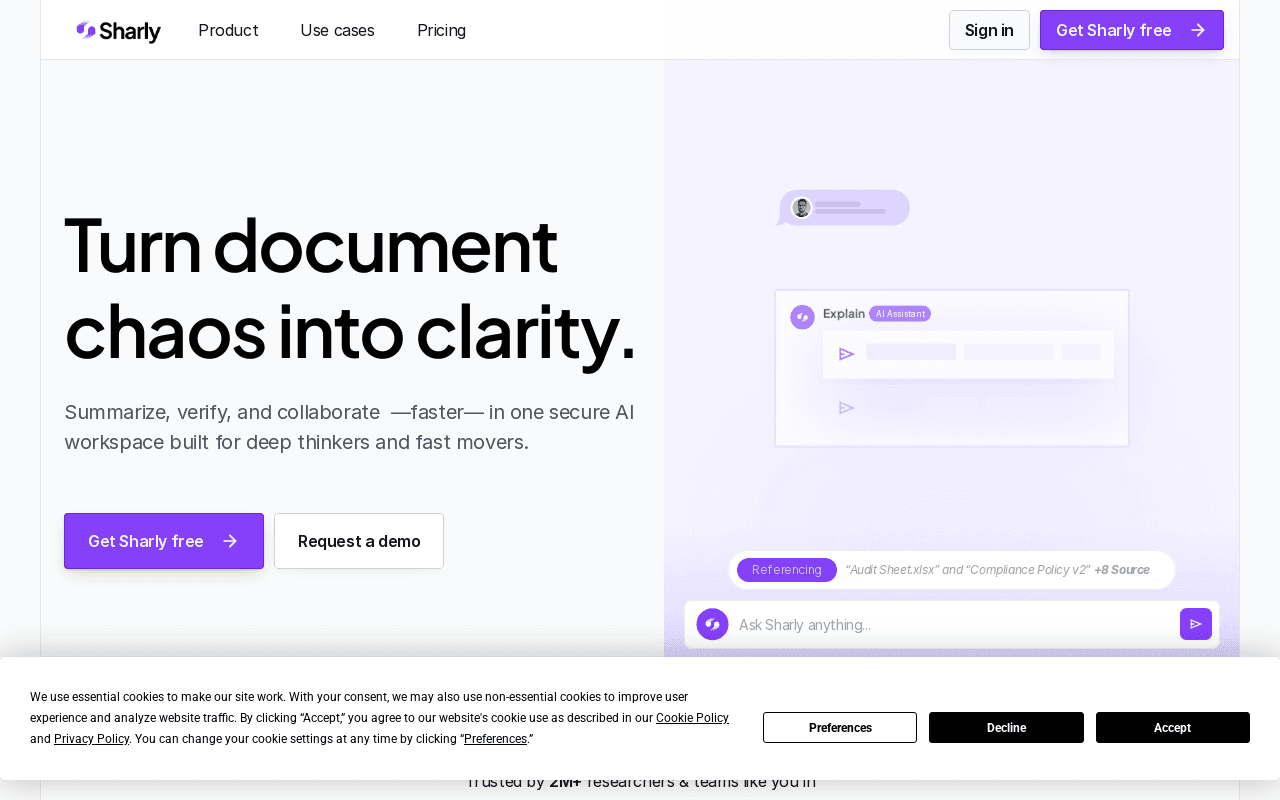
Commonly Cited Strengths & Limitations
Strengths
- Free plan available with multi-format upload
- Answers carry source references, with a dropdown to switch between APA, MLA, and Chicago citation formats
- Role-based permissions and activity logs for teams, with SSO/SAML on the Business tier
Limitations
- Free plan is capped at 5 documents per day and 10 documents per month
- The fetched pages do not mention a public API
- Business tier pricing is custom and not published
Common Use Cases
- Summarizing dense research papers and extracting structured insights
- Comparing claims and metrics across multiple reports to surface conflicts
- Collaborative literature review with inline citations and team annotations
Details
- Pricing Model
- Freemium
- Starting Price
- Free; Pro $12.5/month billed yearly
- Platforms
- Web
- Category
- Productivity & Automation
Who is Sharly AI for?
Academics, analysts, and counselors
Individual researchers who need summaries, source-backed answers, and citation formatting across their documents.
Product teams, research labs, and compliance teams
Teams that need to line up findings across many documents and keep every answer traceable to a source.
Frequently Asked Questions
Is Sharly AI free?
Sharly AI offers a free plan, with paid plans starting at Free; Pro $12.5/month billed yearly.
Does Sharly AI have an API?
Sharly AI does not currently offer a public API.
What platforms does Sharly AI support?
Sharly AI is available on Web.
What are the downsides of Sharly AI?
Free plan is capped at 5 documents per day and 10 documents per month Also, The fetched pages do not mention a public API
Who is Sharly AI best for?
Sharly AI is best suited for Academics, analysts, and counselors, Product teams, research labs, and compliance teams.
What can I use Sharly AI for?
Common uses for Sharly AI include summarizing dense research papers and extracting structured insights, comparing claims and metrics across multiple reports to surface conflicts, collaborative literature review with inline citations and team annotations.
What is the best alternative to Sharly AI?
Our reviewed alternatives to Sharly AI are Khoj, Quivr, PrivateGPT, ChatPDF, Humata, Elicit, Google NotebookLM and SciSpace. Open-source options: Khoj, Quivr, PrivateGPT.
How does Sharly AI compare to Ponder?
Sharly AI and Ponder are both used for productivity & automation -- specifically document processing tools. See the full side-by-side comparison for pricing and feature differences.
Key Features
- Summaries and key insightsGenerates instant summaries, highlights, and topic breakdowns from uploaded research documents.
- Cross-document comparisonLines up claims and metrics across multiple documents and flags matches, conflicts, and missing data.
- Citation-aware chatAnswers include sourced references and a dropdown to switch between APA, MLA, and Chicago citation formats.
- Docs-only answer modeRestricts responses to the user's uploaded files so reasoning stays grounded in provided sources.
- Shared workspaces and annotationsTeams can co-review documents with annotations, collaborative Q&A, and a shared view of insights.
- Enterprise controlsRole-based permissions, activity logs, version history, SSO/SAML, and AES-256 at rest with TLS 1.3 in transit.
Technical Details
- Free Plan
- Available
Official Pricing
Sharly AI's published plans · verified Nov 10, 2026
Free
$0
- Individual user
- Instant summaries and AI answers
- 5 docs/day
- 10 documents/month
- Multi-format upload (PDF, DOCX, Notion)
Pro
$12.5/month billed yearly/yr
- High quality answers
- Unlimited uploads
- Reasoning capabilities
- No training data for LLMs
- Advanced security protocols
Team
$24/month per seat, billed yearly/yr
- Up to 100 seats
- Unlimited documents and chats
- Team annotations
- Knowledge retention
- Analytics and citation history
Business
Custom per seat/yr
- Unlimited seats
- Admin dashboard and role-based access
- Version history and audit logs
- SSO / SAML
- Private deployments and dedicated support
Pricing shown above is sourced from Sharly AI's own published plans as of Nov 10, 2026 and can change at any time -- confirm current pricing on Sharly AI's own site before purchasing.
Full Sharly AI pricing breakdown, free plan and cheaper alternatives →
Real Pricing from Verified Users
See what people actually pay for Sharly AI
Reviews
0 reviews
No reviews yet. Be the first to share your experience!
Switching Stories
Real migration experiences with Sharly AI
Discussion
Ask questions, share tips, or discuss this tool with other users.
No discussion yet. Start the conversation!
Sharly AI alternatives we reviewed
Reviewed when this listing was published; open-source options are marked.
Khoj
Open sourcePartial match: self-hostable AI assistant that searches and chats with personal documents and notes.
- Cost:
- Free (self-hosted); paid cloud
- Licence:
- Open source
Quivr
Open sourcePartial match: open-source second brain for querying uploaded files and knowledge bases.
- Cost:
- Free (self-hosted); paid cloud
- Licence:
- Open source
PrivateGPT
Open sourcePartial match: local, private Q&A over documents without external data sharing.
- Cost:
- Free (open source)
- Licence:
- Open source
ChatPDF
Partial match: commercial chat interface for individual PDFs, lighter on collaboration and cross-doc comparison.
Humata
Commercial document Q&A assistant for research and reports with citations.
Elicit
AI research assistant that finds papers and extracts findings into structured tables.
Google NotebookLM
Google tool that answers questions from uploaded sources with citations.
SciSpace
AI research platform for reading, summarizing, and chatting with academic papers.
Similar tools in Productivity & Automation
Other listed tools in Productivity & Automation, not reviewed as direct alternatives
All-in-one AI knowledge workspace for deeper thinking, not just faster answers
Also Document Processing Tools
- Ponder Agent
- Infinite canvas / knowledge mapping
- Multi-source import

Turn PDFs and any topic into structured visual mind maps with AI.
Also Document Processing Tools
- PDF to Mind Map
- Text to Mind Map
- AI Magic

AI research assistant that summarizes articles, videos, and documents into organized notes.
Also Document Processing Tools
- AI Summarization
- AI Copilot
- Semantic Search

AI second brain that turns text, video, audio, PDFs and images into mind maps and summaries
Also Document Processing Tools
- Audio & Video
- Documents
- Image Processing
AI-powered search engine that mines filings and earnings transcripts for investment insights.
Also Document Processing Tools
- Document Search
- Document Alerts & Filing Screener
- Trending Topics & Sentiment Analysis

- Capture by forwarding
- Voice transcription
- Article reading
People Also Viewed


More in Productivity & Automation

Connect your apps and automate workflows

Customer experience automation

Automate anything without code

Digital analytics platform