
Tabby
Open-source, self-hosted AI coding assistant for private code completion and chat
Data verified Sep 18, 2026
Score
- Try it free
- Free plan
- Best for
- Enterprise development teams
About Tabby
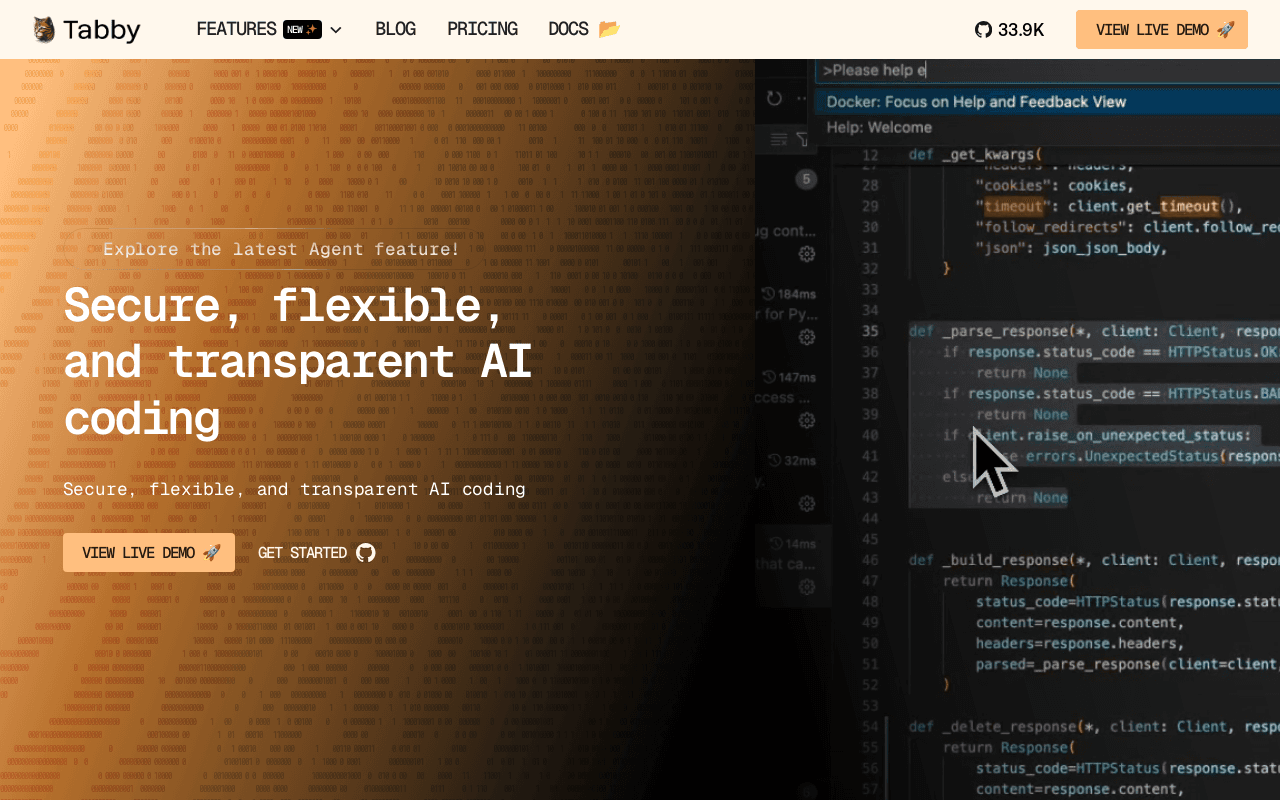
Tabby is an open-source, self-hostable AI coding assistant that runs entirely on your own infrastructure (cloud, on-premises, or consumer-grade GPUs) so code and data never leave your control. It offers real-time code completion, an in-IDE answer engine, inline chat, and project-aware context pulled from docs and config files, integrating with editors like VS Code, Neovim, and IntelliJ. Aimed at development teams and enterprises that need Copilot-style assistance without sending code to a third-party cloud, its key differentiator is full transparency and self-hosting with no external DBMS or cloud dependency.
Screenshots
Commonly Cited Strengths & Limitations
Strengths
- Self-hosted for data privacy and security
- Open-source and transparent
- Runs on consumer-grade GPUs or even CPUs
- Completely free with no subscription or usage limits
- Includes SSO and usage analytics free
Limitations
- Completion quality can be junior-level and varies by model, with a noticeable gap versus commercial tools when using smaller models on consumer GPUs
- Code completion can lag, sometimes taking 10+ seconds, and default llama.cpp uses only a single GPU limiting performance
- Not an agentic tool—it won't read the whole codebase, run shell commands, or write multi-file features on its own
- Requires self-hosting setup and ops overhead
- Slow on CPU-only hardware
Common Use Cases
- Accelerating code development and reducing errors
- Ensuring data privacy in AI-assisted coding for enterprises
- Improving team collaboration and shared code context
Details
- Pricing Model
- Free
- Team Size
- Small Business, Enterprise
- Category
- Developer Tools
Who is Tabby for?
Enterprise development teams
Teams that need Copilot-style AI assistance but must keep source code on-premises for privacy and supply-chain safety.
Self-hosting developers
Developers who run the assistant on their own consumer-grade GPUs or CPUs to avoid external cloud and DBMS dependencies.
Frequently Asked Questions
Is Tabby free?
Yes, Tabby is free to use.
Does Tabby have an API?
Yes, Tabby provides an API for developers.
Is Tabby open source?
Yes, Tabby is open source.
What does Tabby integrate with?
Tabby integrates with VS Code, Neovim, IntelliJ, Eclipse, Android Studio, AppCode, CLion, GoLand, and more.
Is Tabby cloud-based or self-hosted?
Tabby is offered as both cloud and self-hosted (hybrid) deployment.
What are the downsides of Tabby?
Completion quality can be junior-level and varies by model, with a noticeable gap versus commercial tools when using smaller models on consumer GPUs Also, Code completion can lag, sometimes taking 10+ seconds, and default llama.cpp uses only a single GPU limiting performance
Who is Tabby best for?
Tabby is best suited for Enterprise development teams, Self-hosting developers.
What can I use Tabby for?
Common uses for Tabby include accelerating code development and reducing errors, ensuring data privacy in ai-assisted coding for enterprises, improving team collaboration and shared code context.
How does Tabby compare to Keepi?
Tabby and Keepi are both used for developer tools -- specifically chat assistants. See the full side-by-side comparison for pricing and feature differences.
Key Features
- Code completionReal-time, context-aware AI code suggestions that predict your next move as you type.
- Answer engineAsk coding questions and get instant explanations or examples directly inside your IDE.
- Inline chatChat with the AI assistant in real time without leaving the code editor, keeping conversations tied to the code.
- Data connectors (context providers)Pull in context from documentation, configuration files, and external sources for more relevant suggestions.
- Open-source transparencyFully transparent open-source codebase supporting software supply chain safety.
- Flexible deploymentDeploy in the cloud or on-premises, including on consumer-grade GPUs.
- Self-hosted controlRuns without an external DBMS or cloud service for full control of the environment.
- Team managementSecure access controls and team-wide usage analytics.
Integrations
Technical Details
- Deployment
- Hybrid
- Target Market
- B2B
- API
- Available
- Free Plan
- Available
Support
Real Pricing from Verified Users
See what people actually pay for Tabby
Reviews
0 reviews
No reviews yet. Be the first to share your experience!
Switching Stories
Real migration experiences with Tabby
Discussion
Ask questions, share tips, or discuss this tool with other users.
No discussion yet. Start the conversation!
Similar tools in Developer Tools
Other listed tools in Developer Tools, not reviewed as direct alternatives

- Capture by forwarding
- Voice transcription
- Article reading
Chat with AI versions of favorite fictional, anime, and historical characters.
Also Chat Assistants
- Diverse character library
- Custom character creation
- Voice chat
- AI support
- Live chat
- AI copilot

Full lifecycle API management to create, secure, manage, and socialize APIs across clouds.
Also Dev Infrastructure Tools
- API Design
- API Lifecycle Management
- API Gateway
- Live chat widget
- AI chatbot
- Omnichannel inbox

- Payment Gateway
- Payment Button
- Payment Links
Also used for



More in Developer Tools
The platform for smart business apps


The agentic IDE powered by Codeium AI

Prompt, run, edit & deploy full-stack apps in the browser